The best wireless mechanical keyboard for most people right now is the Keychron Q1 Ultra 8K if you want a premium desk board, or the Keychron V1 Max if you want the same tri-mode flexibility for about half the money. Both connect by 2.4 GHz dongle, Bluetooth or USB-C cable, both let you swap switches without soldering, and both have strong battery ratings.
Travel and office life change the answer. The NuPhy Air75 V3 is the slim pick that slides into a laptop bag, the Logitech MX Mechanical is the easy multi-device office board, the Keychron K2 Max is the most Mac-friendly option, and the Logitech G915 X Lightspeed TKL is the low-profile gaming choice. Below you’ll find why each one made the list, what it gives up, and how their battery life and latency compare.
Quick Answers
- Best overall: Keychron Q1 Ultra 8K, a heavy aluminum 75% board with up to 660 hours of rated battery life with the backlight off.
- Best value: Keychron V1 Max, a plastic 75% board with the same three connection modes for around $100.
- Best for travel: NuPhy Air75 V3, only 13.2 mm thick and 724 g, with hot-swap low-profile switches.
- Best for multi-device office work: Logitech MX Mechanical, which pairs with three devices and supports five operating systems.
- Best for Mac: Keychron K2 Max, with Mac keycaps in the box and a hardware Mac/Windows toggle.
- Use the 2.4 GHz dongle for gaming and Bluetooth for laptops, tablets and phones.
How We Picked These Wireless Keyboards
KeySim did not hands-on test these keyboards. We compiled manufacturer specs, switch and build options, and the consensus of reputable reviews and owner feedback published in the last two years, then checked every spec in this guide against the maker’s own page or a well-known review. Where a figure couldn’t be confirmed, we left it out.
Here’s what we weighed:
- Connectivity. Tri-mode boards (2.4 GHz dongle, Bluetooth and wired USB-C) scored highest because they suit both a gaming PC and a tablet on the same desk.
- Battery life. We used the maker’s rated figures with the backlight off and on, since lighting is the biggest drain.
- Polling rate. This is how often the keyboard reports key presses to your computer, measured in hertz. 1000 Hz means a report every 1 ms; 125 Hz means one every 8 ms.
- Switch choice and hot-swap. Hot-swap means the switches sit in sockets, so you can pull them out and fit new ones without soldering. It keeps a keyboard useful for years.
- Build and portability. A heavy aluminum case sounds and feels solid but stays on the desk. A slim plastic or low-profile board travels well.
- Review consensus. Picks needed consistently positive coverage, and we note the downsides reviewers keep raising.
| Model | Size | Switches | Connectivity | Best for | Price tier |
|---|---|---|---|---|---|
| Keychron Q1 Ultra 8K | 75% | Keychron Silk POM (linear or tactile), hot-swap | 2.4 GHz, Bluetooth 5.3, USB-C | Premium desk setup | $200 to $250 |
| Keychron V1 Max | 75% | MX-style, hot-swap | 2.4 GHz, Bluetooth 5.1, USB-C | Best value | Around $100 |
| Logitech MX Mechanical | Full size or Mini | Low-profile Tactile Quiet, Clicky or Linear | Bluetooth LE, Logi Bolt receiver | Office multi-device | $150 to $180 |
| NuPhy Air75 V3 | 75% low profile | Gateron low-profile Nano, hot-swap | 2.4 GHz, Bluetooth 5.0, USB-C | Travel | $125 to $150 |
| Keychron K2 Max | 75% | MX-style, hot-swap version available | 2.4 GHz, Bluetooth, USB-C | Mac users | Around $125 |
| Logitech G915 X Lightspeed TKL | TKL low profile | Low-profile GL (linear, tactile or clicky) | Lightspeed 2.4 GHz, Bluetooth, USB-C | Wireless gaming | $200 to $250 |
Best Wireless Mechanical Keyboard Overall
These two boards cover most buyers. The Q1 Ultra 8K is the premium answer and the V1 Max is the sensible one. Both are 75% layouts, which keep the function row and arrow keys but drop the number pad, so your mouse sits closer to your keyboard. If you’re unsure about size, our guide to mechanical keyboard sizes and layouts shows what each one keeps and cuts.
Best Overall: Keychron Q1 Ultra 8K
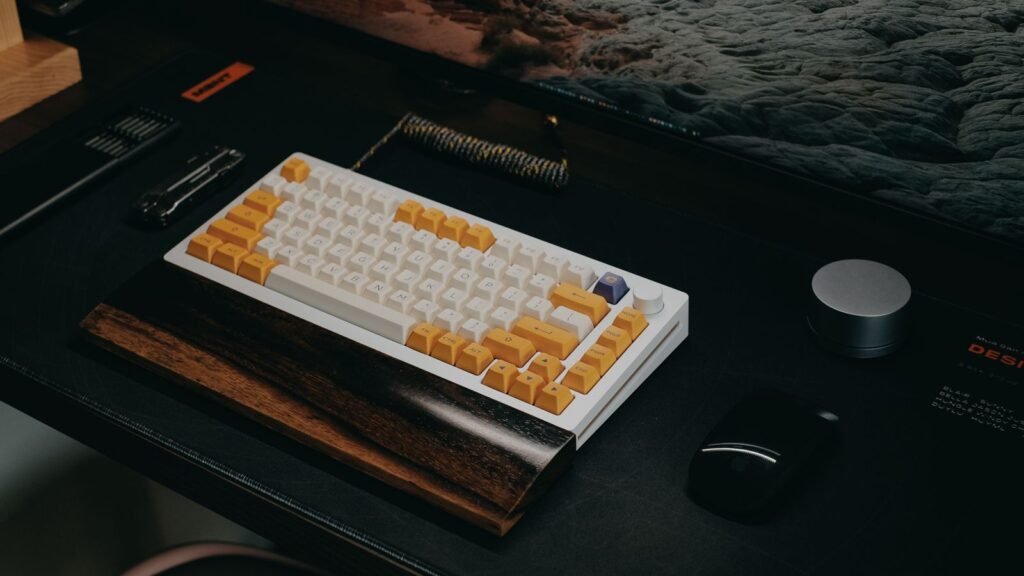
The Q1 Ultra 8K is Keychron’s flagship wireless take on its popular Q1. It has a CNC aluminum case, a polycarbonate plate and a gasket mount. That means the plate sits on soft Poron pads instead of being screwed rigidly to the case, which gives each keystroke a little cushion and a deeper sound. Reviewers consistently praise the build and the smooth, “thocky” typing feel.
It also runs ZMK, an open-source firmware built for wireless keyboards, which is a big reason for its battery rating: Keychron claims up to 660 hours with the backlight off and about 200 hours with it on. In Notebookcheck’s review, the reviewer got about a work week from a charge with lighting at full brightness. Switch options are Keychron Silk POM Red (linear), Brown (tactile) and Banana (a sharper tactile). If you’re choosing between them, hear how linear switches sound next to tactile ones before you order.
- Connectivity: 2.4 GHz and wired at up to 8,000 Hz polling, Bluetooth 5.3 for up to three devices at 125 Hz
- Battery: up to 660 hours backlight off, about 200 hours backlight on (rated)
- Build: aluminum case, polycarbonate plate, gasket mount, 3-pin and 5-pin hot-swap sockets
- Keycaps: double-shot PBT in the tall KSA profile (PBT is a tough plastic that resists shine)
Good to know: at about 1.7 kg with no height-adjustment feet, this is a desk board, not a travel board, and reviewers note that the 8,000 Hz polling rate makes little practical difference for most typists.
Best Value: Keychron V1 Max
The V1 Max gets you most of what makes the Q1 Ultra appealing at a much lower price. It’s a 75% board with an ABS plastic case, a polycarbonate plate and a gasket mount, plus hot-swap sockets that accept both 3-pin and 5-pin MX-style switches. That last point matters: almost any aftermarket switch you fall for later will fit.
It runs QMK firmware with VIA support, so you can remap keys and build macros in a web app rather than installing a heavy driver. If you’d rather have a number pad, the full-size Keychron V6 Max comes from the same family with the same idea. For more boards at this price, see our best budget mechanical keyboards guide.
- Connectivity: 2.4 GHz and wired at 1000 Hz, Bluetooth 5.1 for up to three devices at 90 Hz
- Battery: 4000 mAh, rated up to about 225 hours with RGB off and about 100 hours at the lowest RGB brightness
- Build: ABS case, polycarbonate plate, gasket mount, about 770 g fully assembled
- Software: QMK and VIA through Keychron Launcher
Good to know: the plastic case doesn’t feel as dense as aluminum, and battery life is a fraction of the newer ZMK-based Ultra models.
Best Tri-Mode and Multi-Device Boards
Tri-mode means a keyboard can connect three ways: a 2.4 GHz USB dongle for low latency, Bluetooth for devices without a spare port, and a USB-C cable for charging or wired use. Multi-device pairing lets you store several Bluetooth connections and hop between them with a key press, which is the real everyday win if you move between a work laptop, a personal desktop and a tablet.
Best for Multi-Device Office Work: Logitech MX Mechanical
The Logitech MX Mechanical is the board to buy if you’d rather not think about your keyboard at all. It pairs with up to three devices over Bluetooth Low Energy or Logitech’s Logi Bolt USB receiver and switches between them with dedicated Easy-Switch keys. Logitech lists support for Windows, macOS, ChromeOS, Linux and iPadOS, and the backlight turns on as your hands approach the keys.
The switches are low-profile mechanical, offered as Tactile Quiet, Clicky or Linear. Low profile means shorter keys and less travel, closer to a laptop feel, so it’s an easier move for someone coming from a scissor-switch keyboard. It comes in a full-size version with a number pad and a smaller MX Mechanical Mini. Our Logitech mechanical keyboards guide covers the rest of the range.
- Connectivity: Bluetooth Low Energy or Logi Bolt receiver, up to three devices
- Battery: rated up to 15 days with backlighting, up to 10 months without
- Switches: low-profile Tactile Quiet, Clicky or Linear
- Sizes: full size or Mini
Good to know: it’s built as a finished office tool rather than a modding platform, so don’t expect the switch and keycap swapping you get with the Keychron and NuPhy boards, and several reviewers felt it was pricey for what it offers.
Best for Travel: NuPhy Air75 V3
The NuPhy Air75 V3 is the easiest board here to throw in a bag. It’s 13.2 mm thick and weighs 724 g, yet it still has hot-swap sockets for its Gateron low-profile Nano switches (Red linear, Brown tactile or Blush). Reviewers say it improves on its predecessor in every way that matters, and they single out the battery.
That battery is a 4000 mAh cell rated by NuPhy at 60 to 100 hours with all lights on and up to 1200 hours with the lights off. It works with macOS, Windows, Android and iOS, so it pairs as easily with an iPad in a hotel room as with a work laptop. Our guide to low-profile mechanical keyboards explains how this style differs from full-height boards.
- Connectivity: 2.4 GHz and wired at 1000 Hz, Bluetooth 5.0 at 125 Hz
- Battery: 4000 mAh, rated 60 to 100 hours lights on, up to 1200 hours lights off
- Size: 75% layout, 13.2 mm thick, 724 g
- Keycaps: double-shot PBT, with extra keycaps in the box
Good to know: low-profile switches have far fewer aftermarket options than standard MX-style switches, and reviewers flag the limited switch selection. Full specs are on NuPhy’s Air75 V3 page.
Best for Wireless Gaming: Logitech G915 X Lightspeed TKL
The G915 X Lightspeed TKL pairs low-profile GL switches with Logitech’s Lightspeed 2.4 GHz wireless, which is built for gaming. TKL (tenkeyless) means a full layout minus the number pad. The switches actuate at 1.3 mm, which is short, so a key registers with very little travel. You can choose linear, tactile or clicky GL switches.
It also has Bluetooth and wired modes, a brushed aluminum top plate and double-shot PBT keycaps. Reviewers praise the build, the reliable connection switching, the dedicated media keys and the volume roller, and several call out impressive battery life.
- Connectivity: Lightspeed 2.4 GHz, Bluetooth and wired
- Switches: low-profile GL linear, tactile or clicky, 1.3 mm actuation
- Height: 22.6 mm
- Keycaps: double-shot PBT
Good to know: it costs as much as the premium aluminum boards, and its low-profile switches limit your upgrade options.
Best Wireless for Mac
A keyboard works on a Mac if it sends the right keys, but a Mac-friendly board goes further. Look for Command and Option keycaps in the right places, a hardware switch that flips the layout between macOS and Windows, and Bluetooth that pairs cleanly with a MacBook, iPad and iPhone. Our full guide to mechanical keyboards for Mac and macOS goes deeper on remapping and layouts.
Best for Mac: Keychron K2 Max
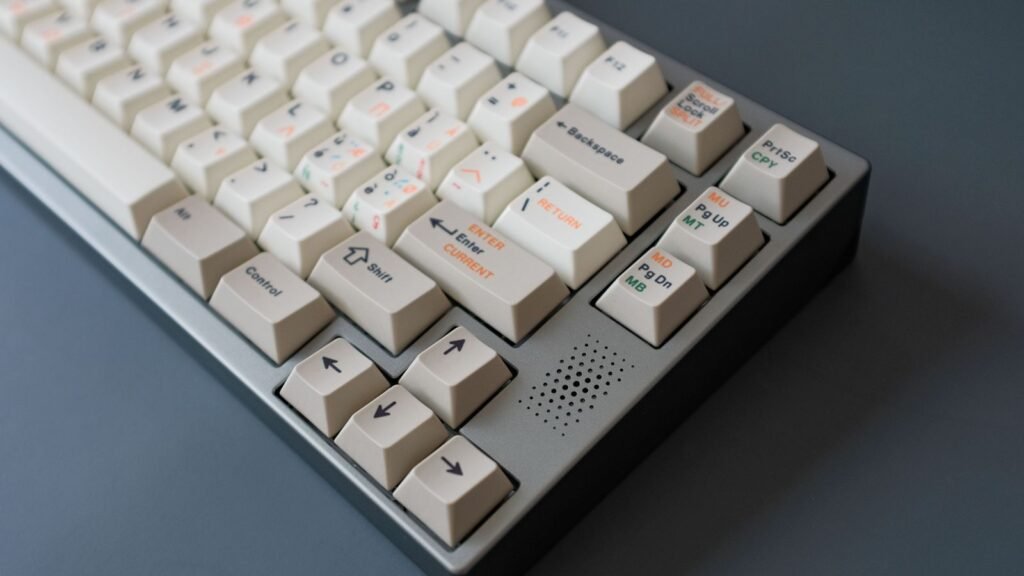
Keychron designed the K2 Max with Mac users in mind, and it shows. It ships with a system toggle switch plus extra keycaps for both macOS and Windows, so the bottom row matches whatever machine you plug into. It’s a 75% layout with tri-mode connectivity and Bluetooth pairing for up to three devices, which covers a MacBook, an iPad and a desktop.
The firmware is open-source QMK, remapped through the Keychron Launcher web app, which works on a Mac without installing anything. A hot-swappable version takes almost all 3-pin and 5-pin MX-style switches, so pick that version if you think you’ll want to experiment later.
- Connectivity: 2.4 GHz and wired at 1000 Hz, Bluetooth for up to three devices at 90 Hz
- Battery: 4000 mAh, rated about 190 hours backlight off, about 100 hours at the lowest RGB setting
- Mac features: macOS and Windows keycaps, OS toggle switch
- Software: QMK with Keychron Launcher
Good to know: only the hot-swappable version lets you change switches without soldering, and its battery rating trails the NuPhy and the Q1 Ultra by a wide margin.
Other Strong Mac Options
Several picks above also suit Apple users. The Logitech MX Mechanical lists macOS and iPadOS support, so one board can serve a MacBook and an iPad. The NuPhy Air75 V3 supports macOS and iOS and is slim enough to sit in front of a MacBook without towering over it. The Keychron Q1 Ultra 8K also has a hardware OS switch if you want the premium option on a Mac desk.
Battery and Latency Comparison
Battery claims vary hugely, mostly because of lighting. Every figure below is the maker’s own rating, and real use is usually shorter if you leave RGB on. Latency comes down mostly to the connection mode, so the table shows polling rate for each mode where the maker publishes it.
| Model | 2.4 GHz and wired polling | Bluetooth polling | Rated battery, lights off | Rated battery, lights on |
|---|---|---|---|---|
| Keychron Q1 Ultra 8K | Up to 8,000 Hz | 125 Hz | Up to 660 hours | About 200 hours |
| Keychron V1 Max | 1000 Hz | 90 Hz | Up to about 225 hours | About 100 hours (lowest RGB) |
| Logitech MX Mechanical | Not listed | Not listed | Up to 10 months | Up to 15 days |
| NuPhy Air75 V3 | 1000 Hz | 125 Hz | Up to 1200 hours | 60 to 100 hours |
| Keychron K2 Max | 1000 Hz | 90 Hz | About 190 hours | About 100 hours (lowest RGB) |
| Logitech G915 X Lightspeed TKL | Not listed | Not listed | Not listed | Not listed |
What These Numbers Mean for You
Polling rate sets how often the keyboard sends a report. At 1000 Hz that’s every 1 ms. At 90 to 125 Hz, the typical Bluetooth figure on these boards, it’s roughly every 8 to 11 ms. For typing, emails and code, you won’t notice that gap. For fast competitive games, plug in the 2.4 GHz dongle or a cable.
Going above 1000 Hz, as the Q1 Ultra 8K does, is a smaller win than the number suggests. Notebookcheck’s review called the 8,000 Hz rate largely wasted on mechanical switches, because the switch itself and your own reaction time add more delay than the polling interval.
How to Stretch Battery Life
- Turn the backlight off or set it to the lowest level. This is the single biggest change.
- Use the keyboard’s sleep timer so it powers down when you walk away.
- On the Q1 Ultra and other boards with very long ratings, charge once every few weeks rather than topping up daily.
- Keep a USB-C cable on the desk: on the tri-mode boards above, you can switch to wired mode and keep typing while the battery charges.
Compare Wireless Picks and Choose Yours
Pick by where the keyboard will live and what it connects to, then narrow by feel. Here’s a short decision guide based on the specs and reviews above.
- Mostly at one desk, and you want the best feel: Keychron Q1 Ultra 8K.
- At one desk on a tighter budget: Keychron V1 Max, or the V6 Max if you need a number pad.
- Several computers and tablets at work: Logitech MX Mechanical.
- Travel, coffee shops and couch typing: NuPhy Air75 V3.
- A MacBook or iMac setup: Keychron K2 Max.
- Wireless gaming with a slim profile: Logitech G915 X Lightspeed TKL.
Choose Your Switch Type Before Your Keyboard
Switches shape the experience more than the brand on the case. Linear switches move smoothly with no bump and suit gaming and fast typing. Tactile switches have a small bump that tells your finger the key has registered, which many typists like. Clicky switches add an audible click, which is fun at home and less welcome in an open office or on a video call.
Sound also depends on the build. A gasket mount, foam inside the case and PBT keycaps all deepen the sound, while a hard plate and thin keycaps make it sharper. Our explainer on what changes keyboard sound walks through each factor, and you can test combinations in the simulator before you spend anything.
Check These Specs on Any Wireless Board
- Tri-mode connectivity. A dongle for gaming, Bluetooth for everything else, and a cable as a backup.
- Battery rating with lights on and off. Some makers only publish the lights-off figure.
- Bluetooth device slots. Three is standard on the picks here.
- Hot-swap sockets. Confirm whether they take 3-pin, 5-pin or low-profile switches.
- OS support. Mac users should look for a hardware toggle and Mac keycaps.
- Weight. Anything near 1.7 kg is staying on the desk.
Frequently Asked Questions
What Is the Best Wireless Mechanical Keyboard?
For most people it’s the Keychron Q1 Ultra 8K, a 75% aluminum board with tri-mode connectivity, hot-swap sockets and up to 660 hours of rated battery life with the backlight off. If that’s more than you want to spend, the Keychron V1 Max offers the same three connection modes and hot-swap for around $100. Travelers should look at the slim NuPhy Air75 V3 instead.
Is Bluetooth Good Enough for a Mechanical Keyboard?
Yes, for typing, office work and casual games. The Bluetooth modes on these boards report at 90 to 125 Hz, roughly every 8 to 11 ms, which you won’t feel while writing. For competitive gaming, use the 2.4 GHz dongle or a cable, which run at 1000 Hz or higher.
What Is the Best Bluetooth Mechanical Keyboard for Multiple Devices?
The Logitech MX Mechanical is the simplest choice, with three device slots, dedicated switch keys and support for Windows, macOS, ChromeOS, Linux and iPadOS. The Keychron and NuPhy picks also store several Bluetooth connections and add a 2.4 GHz dongle.
Do Wireless Mechanical Keyboards Have Input Lag?
On a 2.4 GHz dongle, a good wireless board reports at 1000 Hz or more, the same as most wired keyboards. Bluetooth adds a few milliseconds because it reports less often. That gap matters in fast competitive games, not in everyday typing.
Is 2.4 GHz or Bluetooth Better for a Wireless Mechanical Keyboard?
Use 2.4 GHz for gaming and for a main desktop, because it has a higher polling rate. Use Bluetooth for laptops, tablets and phones, since it needs no dongle and lets you switch between devices. Tri-mode boards give you both, so you don’t have to choose.
How Long Does a Wireless Mechanical Keyboard Battery Last?
It depends mostly on lighting. Rated figures for the Keychron and NuPhy picks range from about 190 hours to 1200 hours with lights off, and drop to roughly 60 to 200 hours with RGB on. Logitech rates the MX Mechanical at up to 15 days with backlighting and up to 10 months without. Turning the backlight off is the easiest way to go weeks between charges.
Can You Use a Wireless Mechanical Keyboard While It Charges?
On the tri-mode boards in this guide, yes. Plug in the USB-C cable and switch to wired mode, and you can keep typing while the battery charges.
Open the simulator, pick a linear switch, then a tactile one, and add foam or switch keycap material to hear how each build choice changes the sound. Then run the typing test to see which feel keeps you fastest.