A split mechanical keyboard breaks the keyboard into two halves, one for each hand, so you can set them at shoulder width and angle each half to match your forearms. That simple change lets your wrists stay straight instead of bending outward, and lets your shoulders relax instead of pulling inward toward a single narrow board. Add mechanical switches and you get the feel, durability and customization of the hobby on top of a healthier typing posture.
This guide explains what makes a split board different, the trade-offs (there are a few), the specs that matter and real models grouped by the kind of typist they suit. KeySim did not test these boards in hand. Everything here comes from manufacturer specs, reputable reviews and long-running owner feedback, so you can narrow your choice before spending real money.
Key Takeaways
- Two independent halves let you type with hands at shoulder width, which keeps wrists straight and shoulders open.
- Fully split boards give the most freedom; fixed ergo boards (one piece, angled keys) are easier to adopt but less adjustable.
- A familiar row-staggered split like the Kinesis Freestyle Edge RGB Plus or Keychron Q11 is the gentlest first step.
- Columnar boards with thumb clusters, like the ZSA Voyager, Moonlander and Dygma Defy, give more comfort but take weeks to learn.
- Check tenting, hot-swap sockets, firmware and wired versus wireless before you choose.
- Expect a learning period of days for a familiar layout and a few weeks for a columnar one.
Why Split Layouts Help Posture
A standard keyboard is about as wide as your two hands placed side by side. To reach the home row, most people pull their elbows in and bend their wrists outward toward the little fingers, a position ergonomists call ulnar deviation. Hold that for eight hours a day and it is easy to see why so many typists end up with tight shoulders and sore forearms.

A split layout fixes the geometry instead of asking you to fight it. It won’t cure an existing injury, and if you already have pain, a doctor or physical therapist should be part of the plan. But for everyday comfort, three design ideas do most of the work.
Shoulder Width and Independent Halves
When the two halves sit roughly in line with your shoulders, your forearms point straight ahead and your wrists line up with them. You can also rotate each half slightly (called splay) so the keys follow the natural angle of your arms. Many owners also park a mouse or trackpad between the halves, which keeps your pointing hand closer to the body than a full-size board with a number pad would allow.
Tenting and Negative Tilt
Tenting means raising the inner edges of each half so your palms face each other a little, like a handshake. Flat keyboards force your forearms to rotate fully palm down, which some people feel in the forearm and elbow. Most dedicated ergo boards offer tenting legs or kits, and a few go well past 30 degrees. Negative tilt (the front edge higher than the back) is the opposite of the old flip-out feet and keeps wrists from bending upward.
Columnar Stagger and Thumb Clusters
Regular keyboards stagger each row sideways, a leftover from typewriter levers. Many split boards use a columnar (also called ortholinear-style) layout where keys line up in vertical columns, so each finger moves straight up and down. Thumb clusters move busy keys like Space, Enter, Backspace and modifiers under your thumbs, your strongest digits, so your little fingers do less stretching for Shift and Ctrl.
Fully Split Vs Fixed Ergo Boards
Not every ergonomic mechanical keyboard comes in two pieces. The category has two main families, and picking the right one is the biggest decision you’ll make.
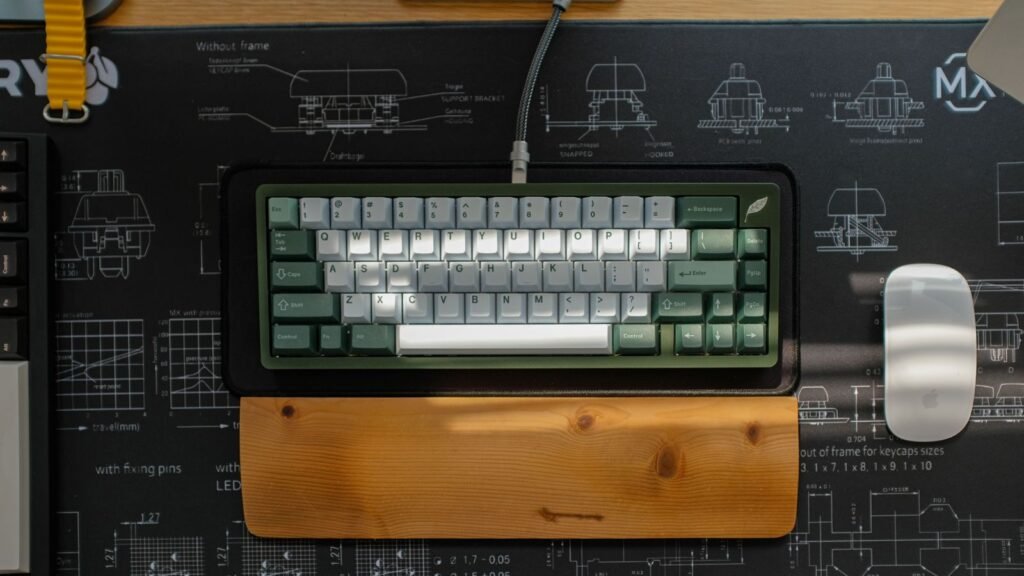
Fully split boards have two separate halves joined by a cable (often a TRRS or USB-C cable) or by wireless. You control width, angle and often tenting. These suit anyone with broad shoulders, existing discomfort or a desire to dial in a setup exactly.
Fixed ergo boards keep everything in one body but angle the key groups. The Alice layout, for example, splits the alphas into two angled clusters on a single frame with a gap in the middle. Contoured one-piece boards scoop the keys into bowls (called key wells). These are easier to carry, need no setup and keep a single cable, but you can’t widen them for your shoulders.
| Factor | Fully split | Fixed ergo (Alice or one-piece angled) |
|---|---|---|
| Hand spacing | Adjustable to shoulder width | Fixed, slightly wider than standard |
| Wrist angle | Set each half’s splay yourself | Set by the designer |
| Tenting | Often built in or available | Rare or minimal |
| Desk footprint | Flexible, mouse can sit in the middle | One block, like a normal board |
| Learning curve | Low to high, depends on layout | Low |
| Portability | Two pieces and a cable to pack | Grab and go |
A useful middle ground: some fully split boards include a bridge or link connector. The Kinesis Advantage360 offers an optional bridge, and the Keychron Q11 halves can be joined, so you can start close together and widen them as you get comfortable.
Features That Matter on a Split Board
Once you know which family you want, these specs separate a good match from a frustrating one.
- Layout style. Row-staggered splits keep the key positions you already know. Columnar splits ask you to relearn reaches but reduce finger travel.
- Key count. Boards range from about 34 keys to 90 or more. Fewer keys means more use of layers (extra key functions you reach by holding a modifier, like Fn on a laptop).
- Tenting. Look for built-in legs, a lift kit or at least a third-party option. The Keychron Q11, for example, has no official tenting kit.
- Hot-swap sockets. Hot-swap means you can pull and replace switches without soldering. It lets you try linear, tactile or clicky switches later.
- Switch profile. Standard MX-style switches are tall; low-profile Kailh Choc switches sit flatter, which can reduce the need for a wrist rest.
- Firmware and software. QMK, ZMK and VIA are open firmware tools that let you remap every key. Some brands add their own apps, like ZSA’s browser-based Oryx.
- Wired or wireless. Wireless removes the cable between halves but adds charging and occasional pairing chores.
- Mac or Windows. Most programmable boards work with both, but check for included Mac modifier keycaps if that matters to you.
Switch choice affects comfort as much as layout. Lighter linear switches reduce finger effort over a long day, while tactile switches give a bump that helps some typists avoid bottoming out. You can hear linear vs tactile switches in the simulator before you commit, and the switch guide table lists actuation force and feel for 20 switch types.
Popular Split Mechanical Keyboard Options
These are representative models grouped by need, not a ranking. For ranked picks across all keyboard types, see our best mechanical keyboards roundup. Prices move around, so treat the tiers as rough guides.
For a Gentle First Step (Familiar Layout)
Kinesis Freestyle Edge RGB Plus. A tenkeyless (TKL, meaning no number pad) row-staggered split with a 20 inch link cable, so the layout feels like the board you already use. Kinesis lists hot-swappable Gateron Pro switches in Brown or Red, a built-in lift kit with 5, 10 and 15 degree settings, detachable palm supports and onboard programming that works without drivers on Windows, Mac and Linux. It sits around $200 to $250.
Keychron Q11. A 75 percent split with a CNC-machined aluminum body, two knobs, hot-swap sockets and QMK/VIA remapping. It’s wired, and the halves can be linked into one board. PCWorld’s review praised the build and easy programming but flagged the awkward bottom row and the lack of a tenting kit. Expect around $200 fully built, less as a barebones kit without switches and keycaps.
For Programmers and Heavy Typists (Columnar With Thumb Keys)
ZSA Voyager. A slim 52-key columnar split with hot-swap low-profile Kailh Choc switches, magnetic tenting legs, per-key RGB and the free Oryx configurator. It’s wired only, and ZSA lists it at around $350 to $400 with shipping. Good if you want something flat that travels well.
ZSA Moonlander. The Moonlander uses full-height MX-style hot-swap switches, an articulating thumb module and a detachable wrist rest. It runs open-source QMK firmware with Oryx on top, tenting comes through an optional platform accessory and the price starts around $365.
For Wireless Freedom
Dygma Defy. A columnar split with 62 hot-swap MX sockets plus eight low-profile thumb keys per side, foldaway tenting legs that reach steep angles, and a wireless version that also works wired. Dygma lists up to 20 hours of battery at full brightness. It sits in the $350 to $450 range depending on options.
MoErgo Glove80. A contoured, fully split wireless board with low-profile Kailh Choc switches, Bluetooth and open-source ZMK firmware. The key wells cradle your fingers, and continuously adjustable tenting is supported. Switches are soldered on standard builds. MoErgo sells it at roughly $380 to $430 depending on switch choice.
For Maximum Contouring
Kinesis Advantage360. A fully split take on Kinesis’s classic scooped key wells, with three built-in tenting heights and integrated palm supports. The Advantage360 comes as a wired SmartSet model or a Pro model with Bluetooth and ZMK support. Switches are not hot-swap because of the curved circuit boards. Prices run about $500 to $600.
For Builders on a Budget
splitkb Aurora kits. splitkb sells PCB kits for popular open designs like the 42-key Aurora Corne and 34-key Aurora Sweep, with optional hot-swap sockets for MX or Choc switches. You supply soldering, controllers, switches and keycaps. This is the cheapest and most customizable route, and also the one with the most homework.
How to Set Up a Split Keyboard for Better Posture
A split board only helps if you place it well. Here’s a simple starting setup that most ergonomic guidance agrees on.

- Sit with your elbows close to your sides at roughly 90 degrees, then set your desk or chair so your forearms are level with the keyboard.
- Place each half directly under its hand, about shoulder width apart, with the G and H keys (or your index-finger home keys) in line with your elbows.
- Rotate each half outward a little so your forearm, wrist and middle finger form a straight line.
- Start tenting low, around 10 to 15 degrees, and raise it a step at a time over a few days.
- Put your mouse or trackball between the halves or close beside the right half so you don’t reach far for it.
- Check in after a week: if a shoulder or wrist feels tense, adjust width or angle before blaming the board.
Compare Split Boards and Choose Yours
Use this table to see the main differences at a glance, then match them to how you work.
| Model | Layout | Switches | Hot-swap | Connection | Tenting | Price tier |
|---|---|---|---|---|---|---|
| Kinesis Freestyle Edge RGB Plus | Row-staggered TKL | MX-style Gateron Pro | Yes | Wired | Lift kit 5 to 15 degrees | $200 to $250 |
| Keychron Q11 | Row-staggered 75 percent | MX-style Gateron G Pro | Yes | Wired | None official | Around $200 |
| ZSA Voyager | Columnar, 52 keys | Low-profile Kailh Choc | Yes | Wired | Magnetic legs | $350 to $400 |
| ZSA Moonlander | Columnar with thumb module | MX-style | Yes | Wired | Optional platform | $350 to $400 |
| Dygma Defy | Columnar with thumb keys | MX plus Choc thumbs | Yes | Wired or wireless | Foldaway legs | $350 to $450 |
| MoErgo Glove80 | Contoured columnar | Low-profile Kailh Choc | No (standard) | Wireless | Adjustable | $380 to $430 |
| Kinesis Advantage360 | Contoured key wells | MX-style | No | Wired or Bluetooth (Pro) | Three built-in heights | $500 to $600 |
| splitkb Aurora kits | Columnar, 34 to 42 keys | MX or Choc | Optional | Wired or wireless builds | DIY | Varies by parts |
A quick way to decide:
- You want comfort now with almost no relearning: start with a row-staggered split like the Freestyle Edge RGB Plus or Q11.
- You type all day and will invest a few weeks: a columnar board with thumb keys, like the Voyager, Moonlander or Defy, gives the bigger long-term payoff.
- You already feel strain and want the most support: look at contoured boards with strong tenting, like the Advantage360 or Glove80.
- You enjoy tinkering: a kit lets you choose every part, from layout to switch weight.
Want to understand how these boards compare with regular ones first? Our guide to mechanical keyboards covers layouts, switches and build quality, and what a mechanical keyboard is explains the basics if you’re new. Build choices like plate material, foam and keycaps shape sound too, and the sound guide shows what each one changes.
Frequently Asked Questions
Is a Split Mechanical Keyboard Hard to Learn?
It depends on the layout. A row-staggered split like the Kinesis Freestyle Edge RGB Plus keeps key positions you know, so most people adjust in a few days, mainly by fixing habits like hitting B with the wrong hand. Columnar boards with thumb clusters take longer, often a few weeks to get workable and longer to reach full speed, so practice in short daily sessions.
What Is the Best Split Mechanical Keyboard?
There isn’t one best board for everyone, because hand size, shoulder width and patience for relearning vary so much. For an easy start, a familiar row-staggered split is the safest bet. For the most comfort over years of heavy typing, a columnar or contoured board with tenting and thumb keys usually wins, as long as you’re willing to learn it.
Are split keyboards good for gaming?
They can be. Many gamers use only the left half, which frees space for wide mouse movements, and Kinesis first launched the Freestyle Edge line as a split board for PC gaming. Columnar layouts can feel strange for WASD at first, so remap keys if needed.
Do I need to touch type to use a split keyboard?
It helps a lot. Because the halves are apart, you can’t reach across with the wrong hand the way hunt-and-peck typists often do. A split board can be a good reason to learn proper touch typing, and a few minutes a day on a typing test speeds that up.
Can a split keyboard help with wrist pain?
A split board can reduce awkward wrist bending and shoulder tension, which many people find more comfortable. It is not a medical treatment, though. If you have ongoing pain, numbness or tingling, see a doctor or physical therapist and treat the keyboard as one part of a wider setup change.
Are split mechanical keyboards worth the price?
For people who type many hours a day, many owners feel the comfort is worth it, since a well-built mechanical board lasts for years. If you’re unsure, start with a lower-cost row-staggered split before moving to a premium columnar or contoured model.
What is tenting on a keyboard?
Tenting raises the inner edge of each half so your palms tilt toward each other, closer to a relaxed handshake position. It reduces how much your forearms twist to lie flat. Start with a small angle and increase it gradually.
Open the typing test to check your current speed and accuracy before you switch, then try a few linear and tactile switches in the simulator to find the feel you’d want on your split board.