A mechanical keyboard puts a separate spring-loaded switch under every key, instead of the single rubber or membrane sheet found in most office and laptop keyboards. That one change gives you a crisper, more consistent keypress, a sound you can tune, parts you can swap, and a board that usually outlives several cheap ones.
This page is KeySim’s starting point for the whole topic. It covers what makes a keyboard mechanical, who actually benefits, the main sizes, wireless and hot-swap options, and a simple way to choose, with links to deeper guides and to the simulator so you can hear switch types and build choices before you spend anything.
The Short Version
- Mechanical keyboards use an individual switch per key, which makes them feel more precise and last longer than rubber-dome boards.
- Switch type (linear, tactile or clicky) shapes the feel and sound more than the brand name does.
- A 75% layout is the easiest middle ground for most people; full size is best if you live in spreadsheets.
- Hot-swap sockets let you change switches without soldering, which is the safest bet for a first board.
- Good budget boards exist under $70, and premium aluminum boards sit around $150 to $250.
- Try switch sounds and build options in the free simulator before you pick.
| Feature | Mechanical keyboard | Regular (membrane) keyboard |
|---|---|---|
| How a key registers | Individual switch with a spring and metal contacts or a sensor | Rubber dome presses through a membrane sheet |
| Feel | Consistent, choice of linear, tactile or clicky | Soft and mushy, varies across the board |
| Sound | Tunable from quiet thock to loud click | Usually quiet and muffled |
| Repairs and upgrades | Keycaps and often switches can be replaced | Usually replaced as a whole |
| Typical price | Under $50 to well over $250 | Often under $30 |
What Makes a Keyboard Mechanical
Under each keycap of a mechanical keyboard sits a self-contained switch: a plastic housing, a stem that moves up and down, a coil spring that pushes it back, and either metal contacts or a magnetic sensor that tells the keyboard the key was pressed. Because every key has its own switch, the force and travel feel the same from the Esc key to the arrow keys.
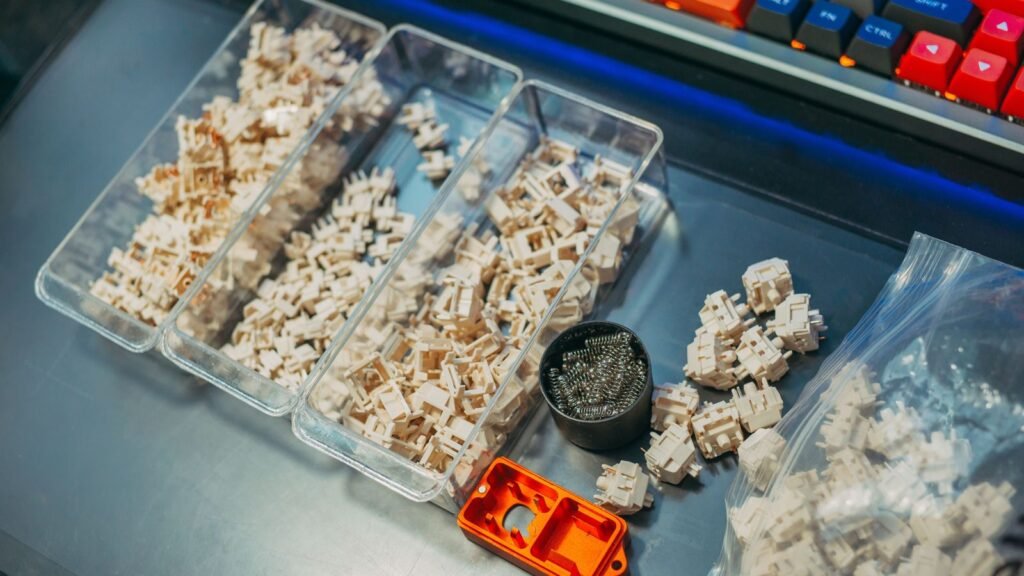
A regular keyboard works differently. One rubber dome sheet sits over a membrane with printed circuits, and a key registers only when you squash the dome all the way down. That’s cheap to make, which is why it ships with most desktop PCs, but it tends to feel soft and wears unevenly over time.
There’s also a newer branch of the family: Hall effect (magnetic) switches. Instead of metal contacts, a magnet in the stem is read by a sensor, so the keyboard can tell exactly how far the key is pressed. That allows adjustable actuation (choosing how deep a press counts) and “rapid trigger,” which resets a key the instant it starts to rise. The Wooting 80HE is a well-known example, with actuation adjustable from 0.1 mm to 4 mm.
Switches, Keycaps, and the Typing Feel
Switches come in three main families, and picking one is the single biggest decision you’ll make:
- Linear: smooth from top to bottom with no bump. Popular for gaming and for the deep, “creamy” sound many enthusiasts chase. Red and yellow switches are usually linear.
- Tactile: a small bump partway down tells your finger the key has registered. A favorite for typing and office work. Brown switches are the classic tactile option.
- Clicky: a bump plus a sharp click. Satisfying for some, distracting for anyone sitting near you. Blue switches are typically clicky.
Spring weight matters too. Lighter switches (around 35 to 45 grams of force) feel fast; heavier ones (60 grams and up) reduce accidental presses. If you’re unsure, a medium linear or a light tactile is a safe first pick.
Keycaps are the second half of the feel. Most budget boards use ABS plastic, which is smooth and can develop a shine over time. PBT plastic is harder, has a slightly textured surface, resists shine, and usually sounds a little deeper. Keycap profile (the shape and height of each row) changes how your fingers land, and a set like Cherry profile sits lower than taller profiles such as SA.
The best way to understand the difference is to hear it. You can hear linear vs tactile switches side by side in the simulator, or compare switch sounds across all 20 switch types in the switch guide table.
Mechanical Keyboard vs Regular Keyboard
For most people the difference shows up in three places. Feel: a mechanical switch registers partway down, so you don’t need to bottom out every key, and the response is the same every time. Durability: mechanical switches are generally rated for tens of millions of presses and a single dead switch can often be replaced, while a worn membrane board is usually thrown away. Flexibility: you can change keycaps, switches, foam and more to make the board your own.
Regular keyboards still win on price and on quiet by default, and laptop keyboards win on portability. But the gap in price has narrowed a lot, and today a good mechanical board costs about the same as a nice dinner out.
Who Mechanical Keyboards Are For
Almost anyone who types or games for more than an hour or two a day will notice the upgrade. The people who get the most out of one are those who care about how a keypress feels, those who want a keyboard that lasts, and those who like tinkering.
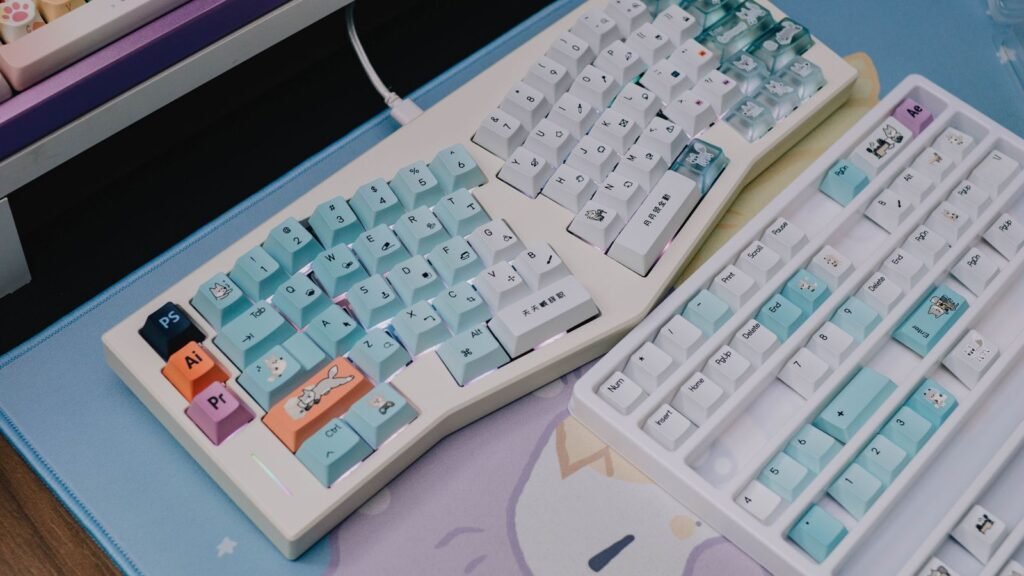
It’s also a style choice. Cute mechanical keyboard setups with pastel keycaps, green or purple themes, and novelty keycaps are a huge part of the hobby, and the Lofree Dot Foundation, a 75% gasket mount board with a makeup-inspired design, shows how far design-led boards have gone.
Gaming, Work, Programming, and Everyday Typing
Gaming: Fast linear switches or Hall effect boards suit competitive shooters, where quick resets help. A compact layout leaves more room to swing your mouse. For casual games, any decent mechanical keyboard and mouse combo is plenty; you don’t need a premium board to enjoy the feel.
Work and writing: Tactile switches give clear feedback without the noise of clicky ones. If you share an office or take calls, look for quiet tactile or silent linear switches, and consider a board with foam inside. The best quiet mechanical keyboard is usually a combination of silent switches, PBT keycaps and a dampened case, not one magic model.
Programming: Developers often like a 75% or TKL layout that keeps arrow keys and function keys, plus software for remapping. Boards that support QMK or VIA (open firmware and remapping tools) let you put brackets, macros or layers wherever you want.
Laptop users: If you love your laptop but hate its keyboard, a portable mechanical keyboard with Bluetooth is the easy fix. Low-profile boards such as the Logitech MX Mechanical come in full-size and Mini versions, offer tactile quiet, clicky or linear low-profile switches, and pair with up to three devices. A true laptop with a mechanical keyboard built in does exist, but it’s rare and mostly limited to bulky gaming machines, so an external board is the practical route.
Sizes and Layouts at a Glance
Keyboard sizes are described by a percentage of a standard full-size board. Smaller boards drop keys you may never use, which saves desk space and brings your mouse closer to your body. The trade-off is that some keys move to a function layer (you hold Fn plus another key).
From 60 Percent Compact to Full Size
| Size | What it keeps | What it drops | Best for |
|---|---|---|---|
| 60% | Letters, numbers, modifiers | Arrows, function row, nav cluster, numpad | Small desks, travel, minimalist setups |
| 65% | 60% plus arrow keys and a few nav keys | Function row, numpad | Compact gaming with arrows |
| 75% | Function row and arrows, tightly packed | Numpad and some spacing | Most people, coding, everyday typing |
| TKL (80%) | Everything except the numpad | Numpad | Gaming plus work, roomy layout |
| 96% or 1800 | Nearly everything, numpad squeezed in | A little spacing | Number entry on a smaller footprint |
| 100% (full size) | Everything, including the numpad | Nothing | Spreadsheets, accounting, data entry |
TKL stands for tenkeyless, meaning the board skips the 17-key number pad (the “ten keys”). It’s a long-time favorite because it keeps every dedicated key most people use while freeing up mouse room.
A 60% mechanical keyboard is the smallest mainstream size, and it takes a week or two to get used to arrows living on a layer. A 75% mechanical keyboard has become the default recommendation for good reason: you keep the function row and arrows, and the footprint is only slightly wider than a 65%.
If you need a mechanical keyboard with numpad, a 100% or 96% board is the answer. The Satechi SM3 Slim is one example: a full-size, low-profile aluminum board with a white backlight that connects over Bluetooth to up to four devices across Mac, Windows, iOS, iPadOS and ChromeOS. Reviewers liked its build but noted heavier switches and no switch options.
Beyond the standard sizes there are ergonomic layouts such as split keyboards and “Alice” style boards with angled key clusters, which can ease wrist strain for some typists.
Wireless, Wired, and Hot-Swap Options
Connectivity used to be a simple choice; now most boards offer several modes. Here’s what each one means in practice.
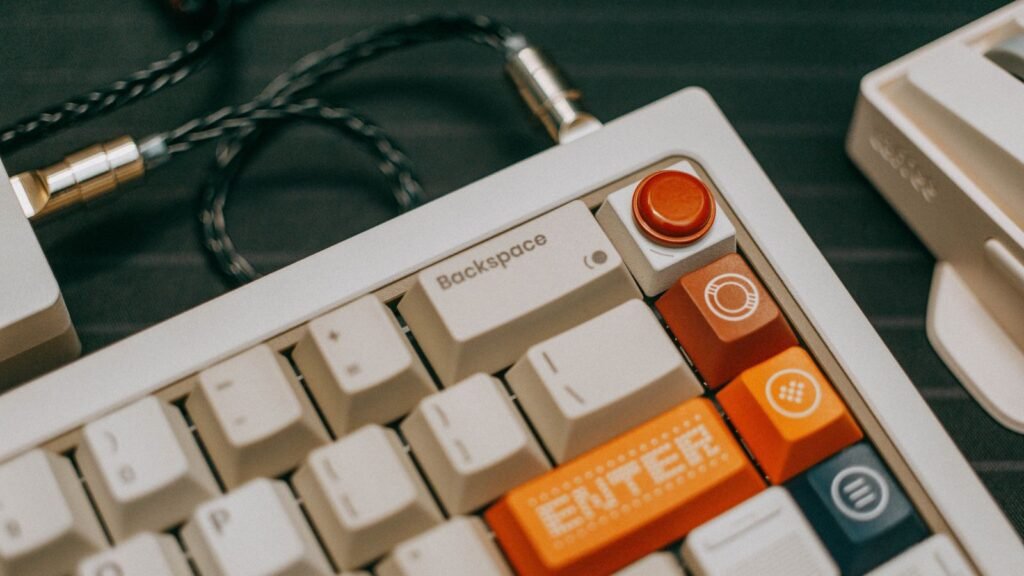
- Wired (USB-C): no batteries, no pairing, and the lowest latency. Competitive gamers and many enthusiasts stick with a cable. The Wooting 80HE, for example, is wired only.
- 2.4 GHz wireless: uses a small USB dongle and is fast enough for gaming. This is the mode to use if you want wireless without compromise.
- Bluetooth: no dongle needed and easy switching between a laptop, tablet and phone, but it typically runs at a lower polling rate and can add a little lag.
- Tri-mode: a board that offers all three. Most mid-range boards now do.
Polling rate is how often the keyboard reports to your computer, measured in hertz. At 1000 Hz, it checks in every millisecond. The Keychron Q1 Max is a clear example of the difference between modes: Keychron lists 1000 Hz over 2.4 GHz and wired, but 90 Hz over Bluetooth. That’s fine for typing and fine for most games, but competitive players should use the dongle or the cable.
Battery life varies hugely with lighting. RGB backlighting can cut runtime from weeks to days, so if you work wireless all day, turn the lights down or off.
Hot-swap means the switches sit in sockets on the circuit board, so you can pull them out with a tool and press new ones in without soldering. It’s the feature that makes a first mechanical keyboard future-proof: if you discover you prefer tactile over linear, you buy a bag of switches rather than a whole new board. Check whether a board takes 3-pin or 5-pin switches; 5-pin sockets accept both.
Build Quality: Cases, Mounts, and Sound
Two boards with the same switches can sound completely different. The case, the plate under the switches, how that plate is mounted, and the foam inside all change the sound and feel.
- Case material: Plastic cases are light and cheap. An aluminum mechanical keyboard case adds weight, stops the board sliding, and usually sounds more solid. Aluminum boards like the Keychron Q1 Max weigh well over a kilogram fully assembled.
- Plate: Steel plates feel stiff and sharp; polycarbonate (PC) and FR4 plates flex more and sound softer.
- Mount: A gasket mount suspends the plate on soft rubber or foam strips instead of screwing it rigidly to the case. The result is a slightly cushioned keypress and a rounder sound. Once a premium feature, gasket mounts now show up on budget boards like the Ajazz AK820 Pro.
- Foam and lube: Foam layers fill empty space in the case, cutting hollow echo. Lubricated switches and stabilizers (the wire mechanisms under long keys like the spacebar) remove scratchiness and rattle.
That “creamy” mechanical keyboard sound you hear in videos usually comes from smooth linear switches, PBT keycaps, a gasket or soft mount, and plenty of foam. You can test each piece yourself: the guide to what changes keyboard sound explains every option, and the simulator lets you toggle plate, case, foam and lube to hear the shift.
How to Choose a Mechanical Keyboard Without Getting Lost
The hobby has a lot of options, but the decision gets simple if you take it in order. Answer these questions one at a time and your shortlist will usually come down to two or three boards.
- Decide on size first. Count the keys you actually use, especially the numpad and function row.
- Pick a switch family: linear for gaming and smooth typing, tactile for feedback, clicky only if noise isn’t an issue.
- Choose connectivity: wired if you never move it, tri-mode if you switch between devices.
- Insist on hot-swap for a first board so you can change your mind about switches later.
- Check software: look for QMK, VIA or a well-reviewed web app for remapping.
- Set a budget tier and compare reviews within it rather than across tiers.
Budget, Features, and Brand Shortlists
| Budget tier | What you can expect | Example boards to research |
|---|---|---|
| Under $70 | Plastic case, often hot-swap, sometimes gasket mount and tri-mode | Keychron C2 Pro (full size, wired), Ajazz AK820 Pro (75%, screen, tri-mode) |
| $70 to $150 | Better stabilizers, PBT keycaps, more foam, solid wireless | Satechi SM3 Slim (full size, aluminum, low profile) |
| $150 to $250 | Aluminum case, gasket mount, QMK or VIA, refined sound | Keychron Q1 Max (75%, aluminum, tri-mode) |
| Over $250 | Enthusiast kits, custom builds, premium materials | Custom kits and limited group buys |
A cheap mechanical keyboard has never been better. Tom’s Hardware’s budget roundup singles out the Keychron C2 Pro as a full-size option that often starts under $55, and the Ajazz AK820 Pro as a 75% board that’s tough to beat around $60. The AK820 Pro is also an easy answer if you want a mechanical keyboard with screen: reviews describe a small TFT display and a knob alongside its gasket mount and tri-mode connectivity.
Two more boards are worth a look outside the table. The Yunzii B75 Pro is a 75% gasket mount board with hot-swap sockets, tri-mode wireless and a knob, and the MX Mechanical suits people who want low-profile keys that feel close to a laptop.
At the top, the Keychron Q1 Max shows what the premium tier buys you: an aluminum body, gasket mount, hot-swap sockets for 3-pin and 5-pin switches, and QMK firmware. If you want the most durable mechanical keyboard you can find, a metal case plus replaceable switches is the formula to look for.
Mechanical keyboard brands worth knowing include Keychron, Logitech, Wooting, NuPhy, Ducky, Royal Kludge, Ajazz, Yunzii, Lofree and Satechi, plus gaming brands such as Corsair and Razer.
Before you buy, it’s also worth typing on what you have for a few minutes in the typing test to get a baseline. If your speed or accuracy jumps on a new board after a week, you’ll know the upgrade was worth it.
Caring for Your Mechanical Keyboard
Mechanical keyboards are easy to maintain, which is part of why they last. Every few weeks, turn the board over and shake out crumbs, then use a soft brush or compressed air between keys. Every few months, pull the keycaps with a keycap puller and wash them in warm soapy water (never put the board itself in water).
Our step by step guide on how to clean a mechanical keyboard covers keycap removal, safe cleaning products and what to do about spills. A clean board sounds better too, since grit in a switch adds scratch and rattle.
Explore Best Picks, Brands, and Guides
This hub is the starting point. From here, the KeySim guides library goes deeper into individual topics, starting with keyboard care, with more guides on switches, sizes and build options being added.
If you like reading what other owners think, mechanical keyboard Reddit communities such as r/MechanicalKeyboards are full of build photos and honest feedback, and long-term owner posts are often more useful than launch-week reviews. When you read mechanical keyboard reviews, pay attention to stabilizer rattle, software quality and battery life, which are the things that tend to annoy people months later.
Compare Mechanical Keyboards and Choose Yours Next
You now know the pieces that matter: switch type, size, connectivity, hot-swap, and build. The next step is to narrow your shortlist and compare a few boards on the specs that match how you use a keyboard.
A practical approach is to pick one board from your budget tier in the table above, then compare it against one step up and one step down. If the cheaper board has hot-swap, a layout you like and decent reviews, it’s often the smart choice; you can always upgrade switches and keycaps later.
Keep in mind that KeySim hasn’t tested any of these keyboards hands-on. The models named on this page come from manufacturer specs and the consensus of reputable reviews and owner feedback, so double-check the current product page before you buy, since specs and switch options change between revisions.
Frequently Asked Questions
What Is a Mechanical Keyboard?
A mechanical keyboard is a keyboard with an individual switch under each key, usually built from a housing, a stem, a spring and metal contacts or a magnetic sensor. That design makes each press feel consistent and lets you choose linear, tactile or clicky switches. Regular keyboards use a single rubber dome sheet instead.
Are Mechanical Keyboards Worth It?
For most people who type or game daily, yes. They feel more precise, last longer, and can be repaired or upgraded instead of replaced. With solid budget boards available under $70, the cost of trying one is lower than ever.
What Size Mechanical Keyboard Should I Buy?
A 75% board suits most people because it keeps the function row and arrow keys in a compact footprint. Choose full size or 96% if you enter numbers often, TKL if you want every key except the numpad, and 60% or 65% if desk space or portability matters most.
Is Wireless or Wired Better for Mechanical Keyboards?
Wired is simplest and has the lowest latency, so competitive gamers often prefer it. A tri-mode board with 2.4 GHz wireless is nearly as fast and gives you a clean desk, while Bluetooth is best for switching between laptops, tablets and phones. Many people pick tri-mode so they don’t have to choose.
Are mechanical keyboards loud?
It depends on the switches and build. Clicky switches are loud, but linear and tactile switches, especially silent versions paired with foam and PBT keycaps, can be quiet enough for a shared office.
Are mechanical keyboards better for gaming?
They can be. Linear and Hall effect switches register quickly and consistently, and features like rapid trigger help in fast shooters. For casual gaming, the main benefit is comfort and feel rather than a big performance edge.
What does hot-swappable mean on a mechanical keyboard?
A hot-swappable keyboard has sockets that hold the switches, so you can pull them out and press in new ones without soldering. It’s the easiest way to experiment with different switch types and to replace a faulty switch.
How long do mechanical keyboards last?
Mechanical switches are generally rated for tens of millions of keystrokes, and because parts can be replaced, a well-kept board often lasts many years. Regular cleaning keeps switches and stabilizers feeling smooth.
Open the simulator, pick a linear switch, then switch to a tactile and a clicky one to hear the difference. Then add foam and lube and swap the plate to see how much the build changes the sound.