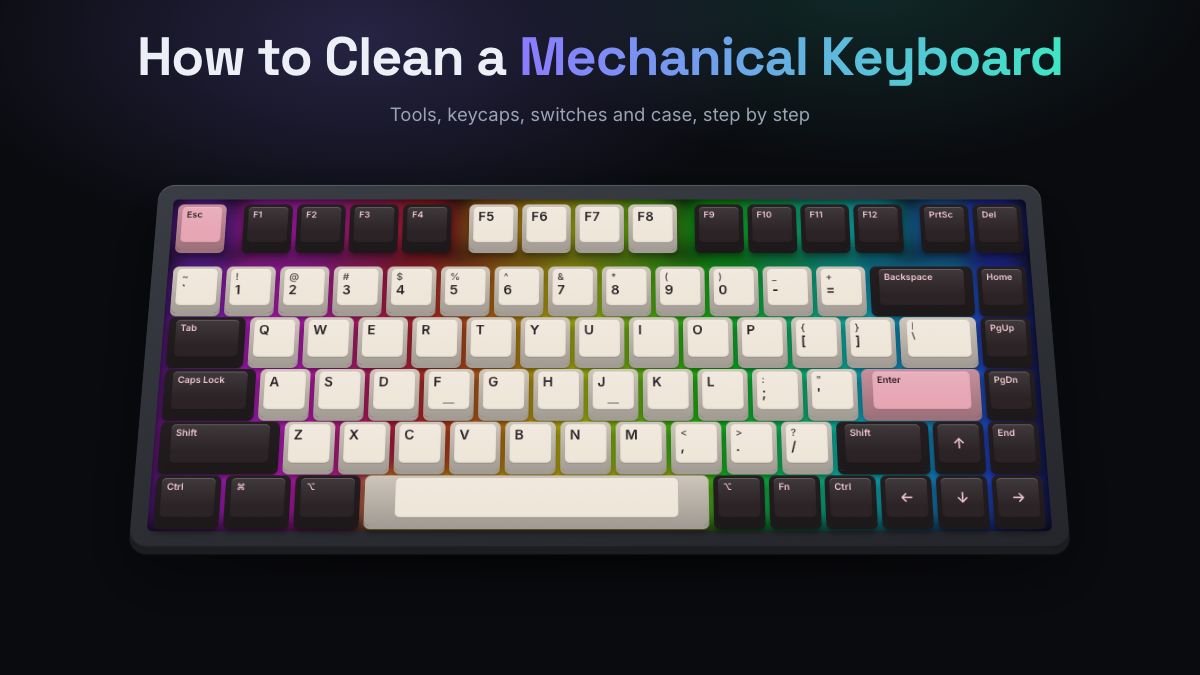
A mechanical keyboard picks up more dust, crumbs, skin oil and pet hair than most people realize. It happens slowly. One day a key feels gritty, the spacebar sounds scratchier than it used to, or the caps under your fingers have a greasy shine.
To clean a mechanical keyboard, unplug it, take a photo of the layout, pull the keycaps with a wire puller and soak them in warm soapy water. While they soak, clear the plate and switches with air and a soft brush, wipe sticky spots with 90% isopropyl alcohol, and let everything dry fully before you put it back together. A quick clean takes about 5 minutes. A full deep clean takes about 45 minutes of work, plus drying time.
The short version
- Unplug the keyboard, or switch it off if it’s wireless.
- Take a photo of the layout so you know where every keycap goes.
- Remove the keycaps with a wire keycap puller, pulling each one straight up.
- Soak the keycaps in warm water with a little dish soap, then rinse them.
- Clear dust from the plate with an air blower, compressed air or a small vacuum, and loosen grime with a soft brush.
- Wipe sticky spots with a cotton swab lightly dampened with 90% isopropyl alcohol.
- Wipe down the case with a microfiber cloth.
- Let the keycaps dry completely, then press them back on and test every key.
Not sure how far to go? Here’s how the two kinds of cleaning compare.
| Quick clean | Deep clean | |
|---|---|---|
| Time | About 5 minutes | About 45 minutes, plus drying overnight |
| Keycaps | Stay on | Removed and washed |
| Best for | Weekly upkeep and visible dust | Grime, sticky keys, shiny caps or a keyboard you haven’t cleaned in months |
What You Need Before Cleaning
You probably have most of this at home already. If your keyboard didn’t come with a wire keycap puller, that’s the one tool worth buying.
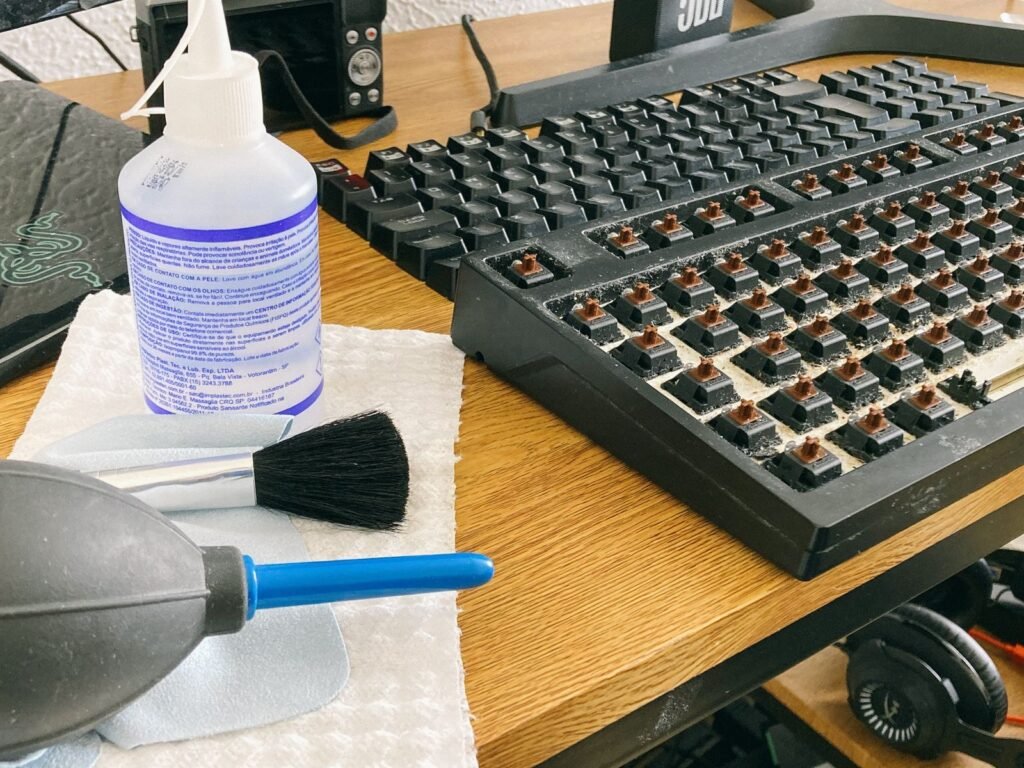
| Tool | What it’s for |
|---|---|
| Wire keycap puller | Lifts keycaps straight up without scratching them. It’s much gentler than the plastic ring style. |
| Electric air blower, compressed air or a small handheld vacuum | Clears dust and crumbs from between the switches. |
| Soft brush | A clean paintbrush or makeup brush loosens debris that air alone won’t move. |
| Microfiber cloths | Wipe the case and keycaps without leaving lint. Paper towels shed fibers and can scratch. |
| Isopropyl alcohol (90% or higher) | Cuts through sticky residue and evaporates quickly, so it’s the safest liquid to use near electronics. |
| Cotton swabs | Get alcohol into the tight spots around the switches. |
| Mild dish soap or denture tablets | Wash the keycaps. |
| A bowl and a towel | For soaking the keycaps and drying them. |
| Switch puller (hot-swap boards only) | Removes switches if you want to deep clean the plate and circuit board. |
Check whether your keyboard is hot-swappable
Hot-swappable keyboards let you pull the switches out without soldering. Check the product page or manual, or look for a switch puller in the box. It’s a small metal tool with two prongs. If your switches are soldered in, you can still follow every step here. You just won’t take the switches out.
Prepare your space
- Unplug the keyboard. If it’s wireless, switch it off and take out the battery if it’s removable.
- Work on a clean, well-lit table with a towel underneath to catch crumbs and small parts.
- Take a clear photo of the keyboard from above. It saves a lot of guesswork when the keycaps go back on, especially on custom layouts or boards with novelty keys.
Quick Clean Without Removing the Keycaps
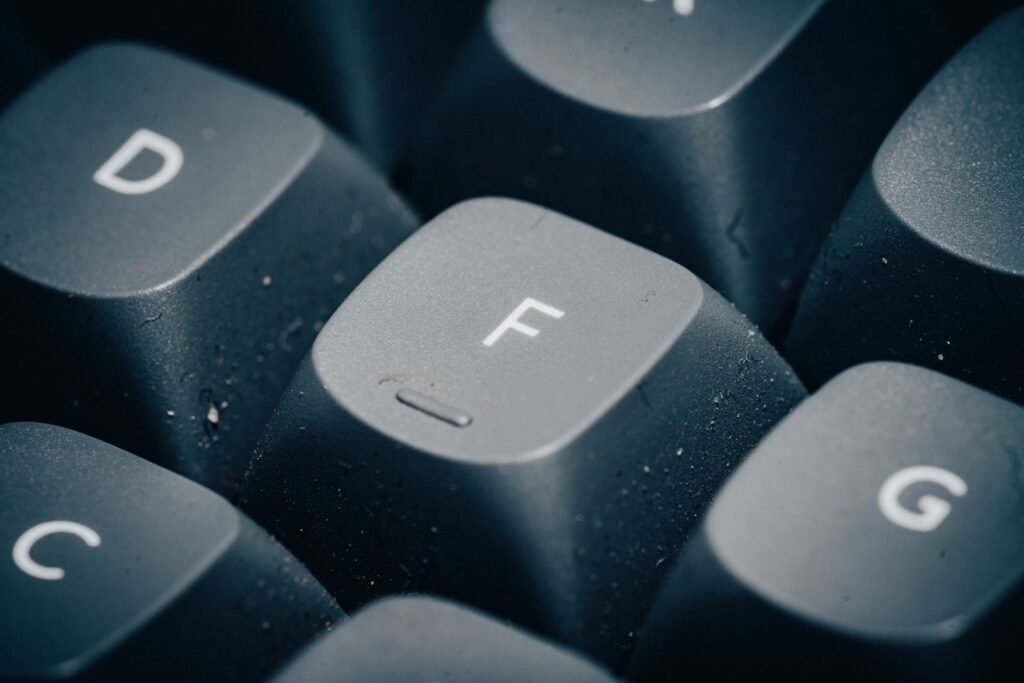
If your keyboard just looks dusty, you don’t need to take anything apart. This is the 5-minute version, and doing it every week or so makes deep cleans much easier.
- Unplug the keyboard.
- Turn it upside down over a bin and tap the back gently to shake out loose crumbs.
- Blow between the keys with an air blower or short bursts of compressed air, working row by row. A small handheld vacuum held just above the keys works too.
- Wipe the keycaps and case with a microfiber cloth that’s barely damp with water or isopropyl alcohol. Keep liquid away from the gaps between keys.
- Dry everything with a second cloth.
If a key still feels gritty after this, or you can see grime packed around the switches, it’s time for a deep clean.
Removing Keycaps Safely
Keycaps are held on the switch stems by friction, so they come off with steady upward pressure. The trick is to pull straight up, not at an angle. Rocking a cap from side to side stresses the stem, and on some switches it can crack the cross-shaped mount.
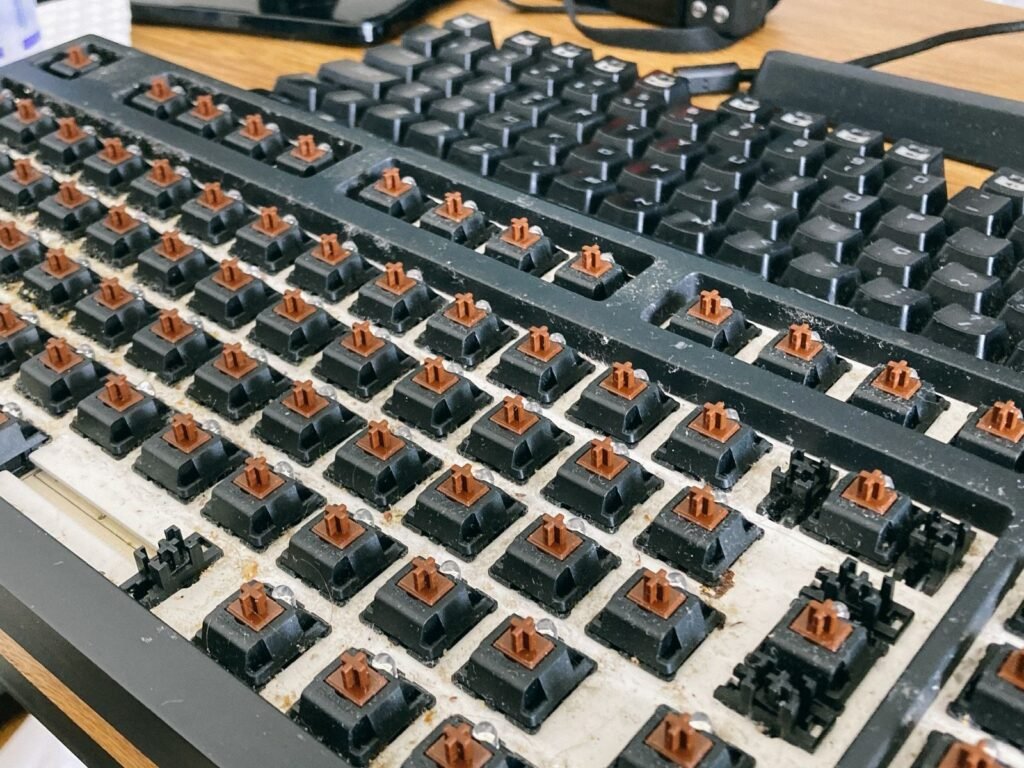
How to pull standard keys
- Slide the two wire hooks of the puller under opposite corners of the keycap.
- Squeeze gently so the hooks catch the underside of the cap.
- Pull straight up with slow, even pressure until the cap releases.
- Drop each cap into a bowl as you go. If you want to keep them sorted, give each row its own container.
Start with an ordinary letter key to get a feel for how much force it takes. Caps on a new keyboard are often tighter than you’d expect. Leave the big keys until last.
Removing stabilized keys (spacebar, Enter, Shift and Backspace)
Longer keys sit on stabilizers, small wire bars that keep the key level when you press one end of it. They need a little more care.
- Lift both ends evenly. Grip the middle with the puller, or use your fingers on both ends.
- If the key won’t budge, look underneath. On some keyboards the stabilizer wire clips into the keycap itself and has to be unhooked gently first.
- If you’re unsure, it’s fine to leave the spacebar in place and clean around it.
Watch the stabilizer wires as the key comes off. If one pops out of its housing, it clips back in, and your photo will show you how it sat.
Low-profile and Topre keyboards
Low-profile keyboards and boards with Topre switches use different keycaps and stems. They still come off by pulling straight up, but be extra gentle and check the manufacturer’s instructions first. Some low-profile caps are thin and easy to snap.
Cleaning the Keycaps
With the caps off, give them a proper wash. This is the step that makes the biggest visible difference.
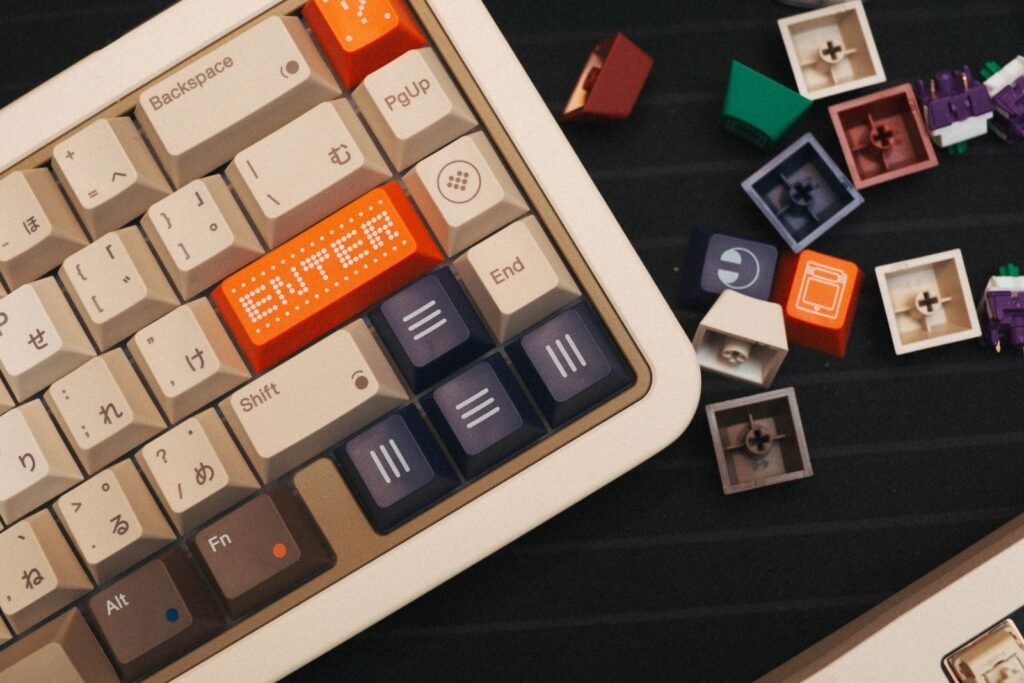
- Fill a bowl with warm water and a few drops of mild dish soap. Warm tap water is fine. Avoid boiling or very hot water, which can warp ABS keycaps.
- Let the keycaps soak for 30 minutes to a few hours, depending on how dirty they are.
- Scrub each cap with a soft toothbrush, paying attention to the inside where grime builds up.
- Rinse them in clean water until no soap is left.
- Shake out each cap and spread them on a towel. Let them air dry for at least 12 to 24 hours, turning them over halfway so water doesn’t sit inside the stem mount.
Drying matters more than most people think. Water trapped inside the stem mount can drip onto a switch when the cap goes back on. If you’re short on time, blow out each stem with air, but don’t use a hair dryer on a hot setting.
Denture tablets and ultrasonic cleaners
Denture tablets are a popular alternative to dish soap. Drop two into a bowl of warm water with the keycaps and leave them for a few hours. They break down skin oil well and rinse off more easily than soap.
If you clean keycaps often, an ultrasonic cleaner does the scrubbing for you. A few minutes in warm water with a denture tablet is usually enough. Clean the caps in small batches so they aren’t packed tightly together.
What cleaning can and can’t fix
- ABS vs PBT: ABS keycaps develop a shiny, smooth patch with heavy use. That’s worn plastic, not dirt, so washing won’t remove it. PBT keycaps resist shine much better.
- Printed legends: cheaper keycaps often have legends printed on the surface. Hard scrubbing or alcohol can rub them off, so stick to soap and a soft brush. Doubleshot and dye-sublimated legends are part of the plastic and won’t wear off from washing.
- Skip the dishwasher. The heat can warp keycaps, and the detergent is harsh on printed legends.
Cleaning Switches and the Case
The rest of the keyboard can’t go anywhere near a bowl of water. Remove loose debris first, then deal with anything sticky.
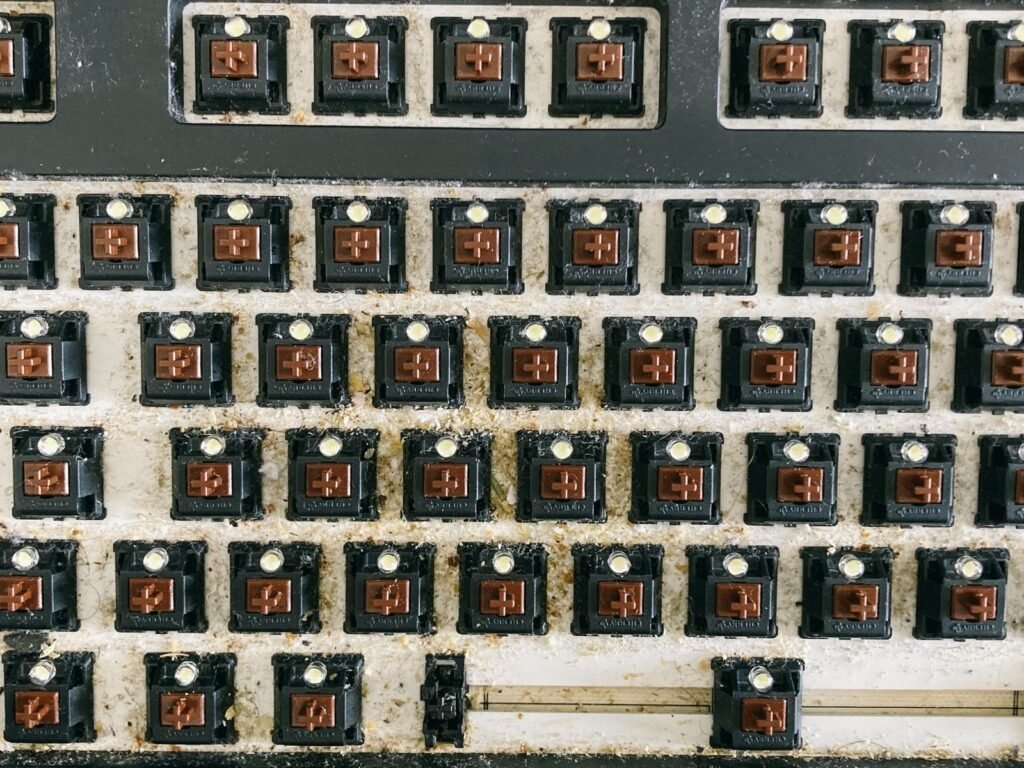
Clear out dust and debris
- Hold the keyboard at an angle and blow between the switches, working row by row from one side to the other.
- If you use canned air, keep the can upright and use short bursts. Tilting it can spray cold liquid propellant onto the board. An electric air blower or a small vacuum avoids that problem entirely.
- Loosen anything stuck to the plate with a soft brush, then blow it out again. Brush across the plate rather than down into the switches, so you don’t push bristles or dust inside the housings.
- Turn the keyboard upside down and give it a gentle shake to drop out anything that worked its way in.
Wipe around the switches
For sticky residue, lightly dampen a cotton swab with isopropyl alcohol. It should be damp, not dripping. Wipe the plate and the tops of the switch housings, then let everything air dry for a few minutes. Alcohol at 90% or higher evaporates quickly and leaves no residue, which is why it’s a better choice than water anywhere near the electronics.
Never spray cleaner or pour liquid directly onto the keyboard. It can seep into the switches and onto the circuit board underneath.
Fixing a sticky or scratchy switch
If a key still sticks, feels gritty or types twice after cleaning, the problem is usually inside the switch.
- Hot-swappable boards: pull the switch and swap in a spare. If you’re comfortable with it, you can open the switch with a switch opener, clean the parts and relube it.
- Soldered boards: press the key repeatedly while blowing air around the stem. If that doesn’t help, the switch may need to be desoldered and replaced, which is a job for someone comfortable with a soldering iron.
Lube is also where the smooth, “creamy” sound of enthusiast keyboards comes from. You can hear the difference by toggling lubed switches on and off in the Build tab of our mechanical keyboard simulator.
Cleaning the case
How you clean the case depends on what it’s made of.
- Plastic: wipe it with a microfiber cloth dampened with water and a drop of dish soap, then dry it.
- Aluminum: a microfiber cloth with a little isopropyl alcohol removes fingerprints and smudges. Avoid abrasive pads, which can scratch the anodized finish.
- Wood: use a dry or barely damp cloth only. Alcohol and moisture can damage the finish.
Don’t forget the cable. Wipe it down and check the USB port and connector for lint.
Deep cleaning a hot-swappable keyboard (optional)
If your keyboard is properly grimy inside, a hot-swap board can be taken apart completely. Check your warranty first, because some brands void it if you open the case.
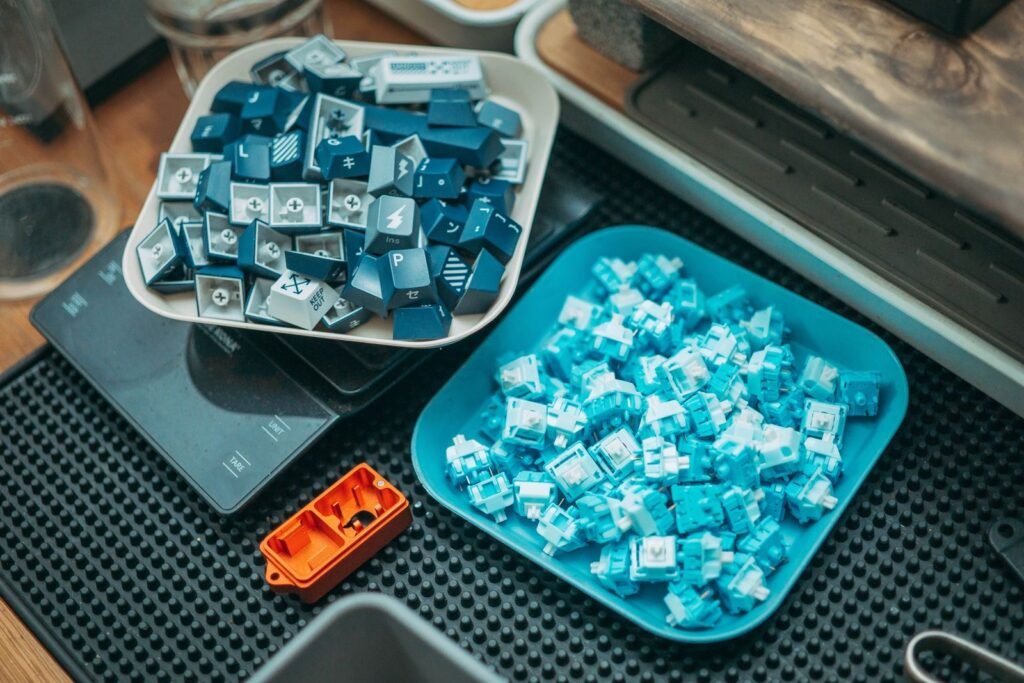
- Remove all the keycaps, then pull the switches with a switch puller. Pull straight up so you don’t bend the pins.
- Unscrew the case and lift out the plate and circuit board together. Keep the screws in a small dish and take photos as you go.
- Gently brush the plate and circuit board with a soft brush and a little 90% isopropyl alcohol. Keep any foam dry.
- Wash an empty plastic case in warm soapy water if it needs it, then dry it thoroughly, including the screw holes.
- Reassemble in reverse order. Check that each switch’s pins are straight before you press it into its socket.
While it’s apart, it’s a good time to lube rattly stabilizers or add case foam. Both change how a keyboard sounds, and our guide to what changes keyboard sound explains why.
What to Do After a Spill
Act fast. Plain water is usually survivable if you dry the keyboard properly. Coffee, soda and anything sugary are more serious, because they leave a sticky film behind.
- Unplug the keyboard right away, or switch it off if it’s wireless.
- Turn it upside down so the liquid drains out instead of soaking into the circuit board.
- Remove the keycaps and blot up what you can with a cloth.
- For plain water, leave it upside down to dry for at least 24 to 48 hours before you plug it back in.
- For sugary or sticky drinks, clean the affected area with isopropyl alcohol and a swab. Switches that still stick may need to be opened, cleaned or replaced.
Skip the bag of rice. It doesn’t dry a keyboard any faster than open air, and it can leave dust and starch in the switches. And when you do test it, use a spare computer or laptop if you can. A keyboard with a short can spam random keypresses.
Putting Your Keyboard Back Together
Once every part is completely dry, reassembly is quick.
- Use your photo as a map. Fit the large stabilized keys first, so the wires seat properly.
- Line each keycap up with its stem and press straight down until it’s fully seated.
- Press every key a few times to make sure nothing sticks.
Then plug it in and test every key. An easy way is to open our online typing test and run your fingers across the whole board. Each key lights up and makes a sound as you press it, so a dead or double-typing key is easy to spot.
How Often Should You Clean a Mechanical Keyboard?
| Type of clean | How often | What it involves |
|---|---|---|
| Quick clean | Weekly | Air or a vacuum between the keys and a wipe of the case |
| Keycap wash | Every 2 to 3 months | Remove and wash all the keycaps |
| Deep clean | Every 6 to 12 months | A full teardown on hot-swap boards, or a thorough clean around soldered switches |
If you eat at your desk, have pets or share the keyboard with other people, clean it more often.
Mistakes to Avoid
- Pulling keycaps at an angle or prying them off with a screwdriver.
- Putting the whole keyboard in water. Only the keycaps should get wet.
- Using bleach, abrasive cleaners or household sprays.
- Running keycaps through the dishwasher or drying them with high heat.
- Putting keycaps back on before they’re fully dry.
- Pushing brush bristles down into the switch housings.
Frequently Asked Questions
Can I clean a mechanical keyboard without removing the keycaps?
Yes, for a light clean. Turn it upside down and tap out the crumbs, blow air between the keys and wipe the tops with a barely damp microfiber cloth. For a thorough clean, the keycaps need to come off, because most of the dirt collects underneath them.
Can I wash a mechanical keyboard with water?
Only the keycaps. Soak and wash them in warm soapy water, then let them dry completely. Never put the keyboard itself in water. Use isopropyl alcohol on a swab for anything near the switches or circuit board.
Is compressed air safe for a mechanical keyboard?
Yes, if you keep the can upright and use short bursts. Tilting the can can spray cold liquid propellant. An electric air blower or a small handheld vacuum does the same job without that risk.
Is 70% isopropyl alcohol okay for cleaning a keyboard?
It works, but 90% or higher is better near electronics. Lower concentrations contain more water, so they take longer to evaporate.
Do denture tablets work for cleaning keycaps?
Yes. Two tablets in a bowl of warm water, with a few hours of soaking, break down skin oil well and rinse off more easily than dish soap.
How do I fix a sticky key on a mechanical keyboard?
Pull the keycap, blow air around the switch and clean the area with a swab lightly dampened with isopropyl alcohol, pressing the switch a few times as you go. If it still sticks, swap the switch on a hot-swappable board, or have it desoldered and replaced on a soldered one.
How long should keycaps dry after washing?
At least 12 to 24 hours, laid out on a towel. Make sure no water is left inside the stem mounts before you put them back.
Will cleaning change how my keyboard sounds?
It can. Clearing out debris often gets rid of scratchy or uneven key presses. For a bigger change, lubing the switches, tuning the stabilizers or adding foam make more of a difference, and you can try each of those in the simulator before you open your keyboard up.
Curious how lubed switches or case foam change the sound? Try them on a virtual keyboard before you open yours up.