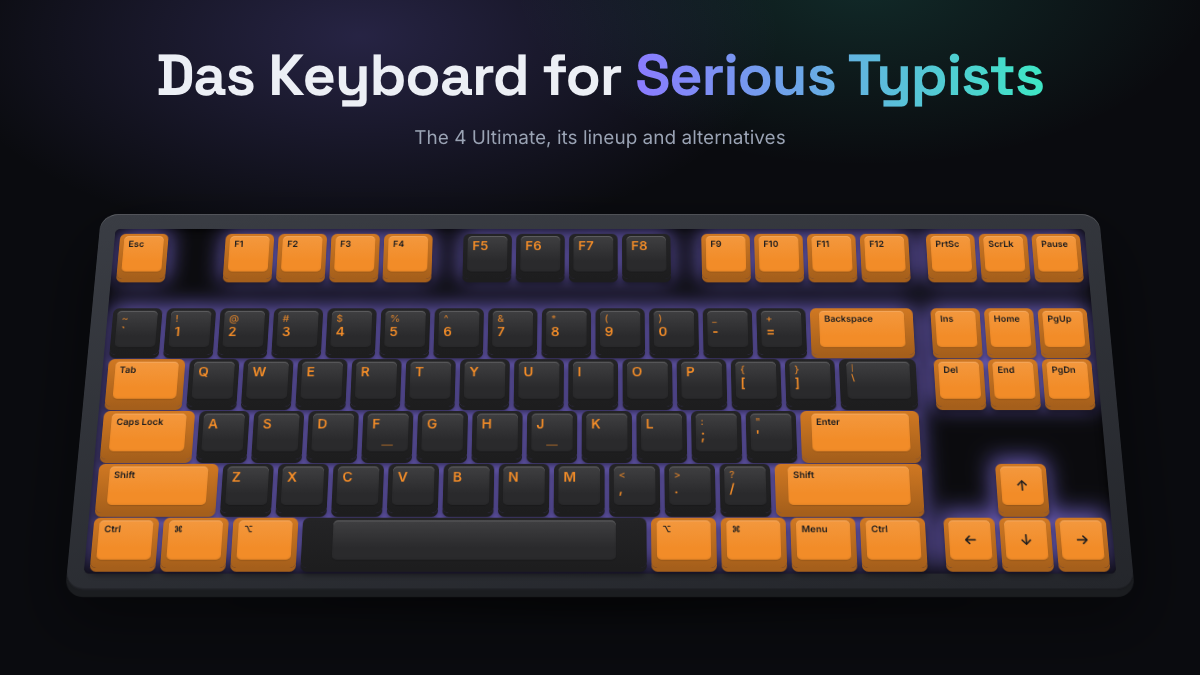
The Das Keyboard 4 Ultimate mechanical keyboard is a full-size, wired board with completely blank keycaps, Cherry MX2A Brown or Blue switches, an anodized aluminum top, a big volume knob and a two-port USB 3.0 hub. It costs around $200 and suits a particular person: a touch typist who wants a solid, quiet-looking office keyboard and doesn’t need RGB, wireless or software.
If you want the same keyboard with printed letters, that’s the Das Keyboard 4 Professional. This guide explains what Das Keyboard stands for, how the 4 Ultimate fits into the current lineup, who should (and shouldn’t) buy one, and how the brand compares with Keychron and Logitech. KeySim didn’t test these keyboards hands-on. Everything here comes from Das Keyboard’s own spec pages and the consensus of published reviews and owner feedback.
Das Keyboard at a Glance
- The 4 Ultimate is the blank-keycap version of the 4 Professional. Under the caps they’re the same keyboard.
- Both use Cherry switches in Brown (soft tactile) or Blue (clicky), with a 104-key US layout or 105-key UK, DE and NO layouts.
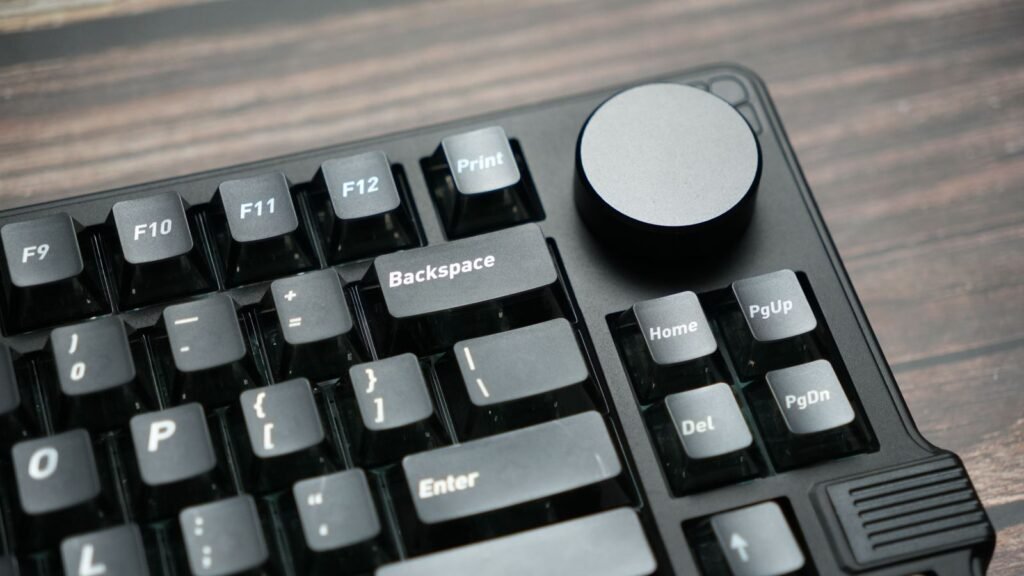
- Standout extras: oversized volume knob, media keys, two-port USB 3.0 hub, a magnetic footbar that doubles as a ruler, and full N-key rollover.
- What you don’t get: backlighting, wireless, hot-swap sockets or companion software.
- The 4 series sells for around $200. The newer 6 Professional adds white backlighting and USB-C, and the 5QS Mark II adds per-key RGB.
- It’s best for writers, coders and office workers. Gamers and tinkerers usually get more for their money elsewhere.
| Model | Keycaps | Switches | Lighting | Connection | Price tier |
|---|---|---|---|---|---|
| Das Keyboard 4 Ultimate | Blank | Cherry MX2A Brown or Blue | None | Wired USB-A, 2-port USB 3.0 hub | Around $200 |
| Das Keyboard 4 Professional | Laser-etched legends | Cherry Brown or Blue | None | Wired USB-A, 2-port USB 3.0 hub | Around $200 |
| Das Keyboard 6 Professional | Legends | Cherry MX2A Brown or MX Blue | White LED | Wired USB-C, 2-port USB-C hub | Just over $200 |
| Das Keyboard 5QS Mark II | Legends | Cherry MX2A Red, Brown or Silent Red | Per-key RGB | Wired USB-A | $225 to $260 |
| Das Keyboard DeltaForce 65 | Legends | Gateron, hot-swappable | RGB | Wired | Around $170 |
Das Keyboard Philosophy and Build
Das Keyboard was founded in 2005 in Austin, Texas, and is run by Metadot Corporation. Design, engineering and customer support are based in Austin, and the hardware is built overseas to the company’s specifications. The brand made its name with a provocative idea: a keyboard with no letters printed on the keys at all.
The thinking behind blank keycaps is simple. If you can’t look down, you learn to type by feel, and typists who already touch-type say the clean board removes a distraction. That idea still defines the Ultimate models, and it’s why the brand pitches itself at “serious typists” rather than gamers.
What Das Keyboard Builds Into Every Board
Across the full-size models, a few design choices repeat:
- Cherry switches. Das Keyboard has used Cherry MX switches for years and now ships many models with Cherry MX2A, Cherry’s refreshed MX switch with factory lubrication for a smoother stroke.
- Aluminum top panels. The 4 series has an anodized aluminum top. Reviewers at AnandTech noted that the keys and circuit board are actually supported by a steel plate underneath, so the aluminum is mostly about looks and rigidity of the frame.
- Desk-friendly extras. A large volume knob, dedicated media keys, an instant sleep key and a USB hub are standard on the 4 and 6 series.
- N-key rollover (NKRO). Every key press registers no matter how many keys you hold at once, so fast typing never drops a letter.
Strengths and Common Complaints
Reviewer consensus on the 4 Professional and 4 Ultimate is consistently positive for typing. PC Gamer called it an excellent office keyboard, and TechSpot and Macworld both recommended it to heavy typists. Owners praise the solid weight (about 2.9 pounds), the knob and the hub.
The complaints are just as consistent. The 4 series has no backlight, which matters if you work in a dim room. There’s no software for remapping keys. The keyboard is wired only and the switches are soldered, so you can’t swap them without desoldering. Some reviewers find stock Cherry switches slightly scratchy compared with newer factory-lubed switches from other brands, and several gaming-focused outlets said it isn’t built with gamers in mind. And around $200 is a lot for a board without lighting or wireless.
Das Keyboard 4 Ultimate Mechanical Keyboard and Lineup
The 4 Ultimate is the model this page is named for, so here’s the full picture straight from Das Keyboard’s 4 Ultimate spec page.
Das Keyboard 4 Ultimate Specs
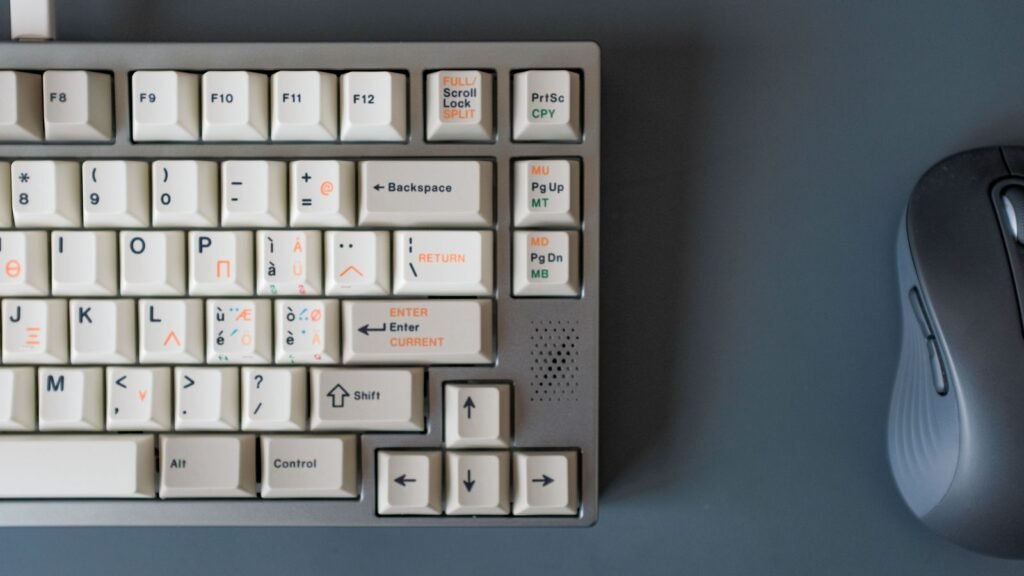
- Layout: full size, 104 keys (US) or 105 keys (UK, NO, DE). Full size means you get the number pad, arrow cluster and function row.
- Switches: Cherry MX2A Brown (soft tactile) or Blue (clicky), with gold contacts.
- Keycaps: completely blank. They use the standard Cherry MX cross stem, so most aftermarket keycap sets fit if you ever want legends back.
- Controls: oversized volume knob, mute, play/pause and track keys, plus an instant sleep button.
- USB hub: two USB 3.0 ports (up to 5Gb/s), powered through the keyboard’s single USB-A cable.
- Cable: 6.5 feet, USB Type-A.
- Footbar: a magnetic, detachable bar that tilts the board to about 4 degrees and doubles as a 16-inch ruler.
- Size and weight: 18 x 6.8 x 0.8 inches, 2.9 pounds.
- Compatibility: Windows, Linux or Mac, no driver needed, firmware updatable. NKRO toggles with Shift plus Mute.
The Ultimate’s tradeoff is obvious: you need to touch type confidently, including symbols and the function row. If you still glance at the number row for brackets or the F keys for shortcuts, blank caps will slow you down at first.
Das Keyboard 4 Professional: The Labeled Twin
The Das Keyboard 4 Professional mechanical keyboard is the same board with laser-etched legends. According to Das Keyboard’s 4 Professional page, it shares the knob, media keys, two-port USB 3.0 hub, magnetic footbar, 6.5-foot cable and NKRO. Its footbar adds a small magnifying lens on the underside. There’s also a separate 4 Professional for Mac model with Mac-specific legends.
Das Keyboard’s lineup page lists the 4 Professional with Cherry MX switches while its product page mentions MX2A in one section, so check the exact switch version on the listing before you order. For most typists the difference is subtle: MX2A mainly feels a little smoother out of the box.
The Rest of the Current Lineup
- Das Keyboard 6 Professional: the modern successor to the 4 Professional. It adds white LED backlighting, a USB-C connection (with a USB-A adapter in the box) and a two-port USB-C hub, with Cherry MX2A Brown or MX Blue switches.
- Das Keyboard 5QS Mark II: a 104-key board with per-key RGB that the free Q software (Windows, macOS, Ubuntu) can drive with live data, such as lighting a key when a build fails or an email arrives. It offers Cherry MX2A Red, Brown or Silent Red, a magnetic palm rest and signed firmware that blocks third-party flashing, which appeals to security-conscious offices. See the 5QS Mark II spec page for details.
- Das Keyboard 5QS: the cheaper Q-enabled RGB board with Gamma Zulu switches.
- Das Keyboard Prime 13: a minimalist board with white LED backlighting and an aluminum top.
- Das Keyboard DeltaForce 65: the brand’s turn toward enthusiast design. It’s a compact 65% layout (no number pad or function row, but it keeps arrow keys) with hot-swap sockets, meaning you can pull and replace switches without soldering, plus RGB and a gasket mount, where the plate sits on soft gaskets for a cushioned feel.
- Das Keyboard MacTigr: a low-profile Mac keyboard with Cherry MX Low Profile Red switches and a USB-C hub. At the time of writing its buy link points to a certified refurbished listing, so treat new stock as limited.
Who Should Buy Das Keyboard
Das Keyboard makes sense when you value typing comfort, build and desk convenience over features. Here’s how that breaks down.
Good Fit
- Touch typists who write all day. Writers, programmers and analysts get a stable full-size board with a number pad and dedicated media controls. Confident touch typists can choose the Ultimate for the clean look.
- People who want plug and play. No driver, no software, no account. It works the same on Windows, Linux and Mac.
- Desk minimalists who still need ports. The USB 3.0 hub puts a flash drive or headset dongle within reach without a separate hub.
- Offices with security rules. The 5QS Mark II’s firmware lockdown is a rare feature in this market.
Not a Great Fit
- Gamers chasing speed features. The 4 series has no software, no macro layers and no lighting, and reviewers aimed at gamers rated it below dedicated gaming boards.
- Tinkerers. Only the DeltaForce 65 is hot-swappable. The 4 series switches are soldered, so trying new switches means buying a new keyboard.
- People who need wireless or a small footprint. The 4 series is wired and full size. If desk space is tight, read our guide to keyboard sizes and layouts first.
- Budget buyers. You can get a good hot-swap board with wireless and backlighting for well under $200.
Brown or Blue: Choosing Your Switch
This is the most important choice you’ll make on a 4 series board. Cherry Brown is tactile: you feel a soft bump when the key activates, but there’s no click, so it’s office-friendly. Cherry Blue is clicky: a sharp bump plus an audible click on every press. It’s satisfying in a home office and annoying in a shared one.
Open the simulator and switch between a tactile and a clicky switch to hear linear vs tactile vs clicky switches before you commit to Brown or Blue.
The simulator’s sounds are synthesized, so they show you the difference between switch types rather than the exact sound of a Das Keyboard. For a side-by-side of force and feel, check the switch guide table.
Compare Das Models and Choose Yours
If you’ve decided Das Keyboard fits, the right model comes down to two questions: do you want legends, and do you want lighting?
Picking Within the Das Lineup
- Want blank keys and a clean look? Get the 4 Ultimate.
- Want the same board with legends? Get the 4 Professional, or the 4 Professional for Mac if you’re on macOS.
- Need backlighting or USB-C? Step up to the 6 Professional.
- Want RGB, notifications or locked firmware? The 5QS Mark II.
- Want something compact you can modify? The DeltaForce 65.
How Das Keyboard Compares With Alternatives
| Brand | Best known for | Hot-swap | Wireless | Software | Typical price tier |
|---|---|---|---|---|---|
| Das Keyboard | Full-size office boards, blank keycaps, volume knob, USB hub | DeltaForce 65 only | No | Q app on 5QS models only | $150 to $250 |
| Keychron | Aluminum custom-style boards, Mac and Windows layouts | Most models | Many models | VIA and web configurator on many models | $70 to $250 |
| Logitech | Polished wireless office and gaming boards | Few models | Most models | Logi Options+ and G Hub | $100 to $200 |
Keychron is the closest rival for someone who wants an aluminum board and Mac support. Most Keychron models are hot-swappable and many add wireless and remappable keys, so you get more flexibility for similar money. Das Keyboard’s edge is its media knob, USB hub and simple plug-and-play setup. Our Keychron guide covers their range.
Logitech wins if you want wireless and multi-device switching for office work, and its software is more polished. Das Keyboard’s 4 series counters with a heavier, more traditional typing feel on full-height Cherry switches. See our Logitech mechanical keyboard guide for the models.
If you’re still undecided, our roundup of the best mechanical keyboards compares picks across brands and budgets.
Caring for a Das Keyboard 4
A full-size board with a hub collects dust fast. Pop off a few keycaps every couple of months with a keycap puller and clear debris with compressed air or a soft brush. The blank caps on the Ultimate make reassembly trickier, so take a photo before you remove more than a handful. Our mechanical keyboard cleaning guide walks through the steps.
Frequently Asked Questions
Is Das Keyboard Worth the Price?
For heavy typists who want a sturdy full-size board with a volume knob, media keys and a USB hub, yes, and reviewers have rated the 4 series highly for years. If you want backlighting, wireless, hot-swap sockets or software at around $200, other brands give you more features for the money. You’re paying for build, convenience and a classic Cherry feel rather than a long spec sheet.
What Switches Does Das Keyboard Use?
The 4 Ultimate uses Cherry MX2A switches in Brown (soft tactile) or Blue (clicky), and the 4 Professional comes in the same two flavors. The 6 Professional uses Cherry MX2A Brown or MX Blue, the 5QS Mark II offers Cherry MX2A Red, Brown or Silent Red, the 5QS uses Gamma Zulu, and the DeltaForce 65 uses hot-swappable Gateron switches.
What is the difference between the Das Keyboard 4 Ultimate and 4 Professional?
They’re the same keyboard with different keycaps. The Ultimate has completely blank keys, while the Professional has laser-etched legends, and its footbar adds a small magnifying lens. Switches, knob, USB hub, layout and size all match.
Does the Das Keyboard 4 Ultimate have backlighting?
No. The 4 Ultimate and 4 Professional have no backlight. If you need lit keys, look at the 6 Professional (white LED), the Prime 13 (white LED) or the 5QS Mark II (per-key RGB).
Does the Das Keyboard 4 Ultimate work with a Mac?
Yes. Das Keyboard lists Windows, Linux and Mac compatibility with no driver needed. Because the Ultimate’s keys are blank, Mac users don’t lose anything to Windows legends, though the modifier key positions follow a standard PC layout. Das Keyboard also sells a 4 Professional for Mac with Mac legends.
Is the Das Keyboard 4 good for gaming?
It works fine for casual gaming thanks to full N-key rollover, and the Brown switches are pleasant for long sessions. Gaming-focused reviewers point out that it lacks software, macros and lighting, so competitive players usually choose a dedicated gaming keyboard instead.
Can you change the keycaps on a Das Keyboard 4?
Yes. The 4 series uses the standard Cherry MX cross stem, so most aftermarket keycap sets fit the full-size layout. That also means you can add legends to an Ultimate later if blank keys don’t work out.
Take the typing test twice, once as normal and once without looking down at your hands. If your speed holds up, a blank-keycap board like the 4 Ultimate could suit you.