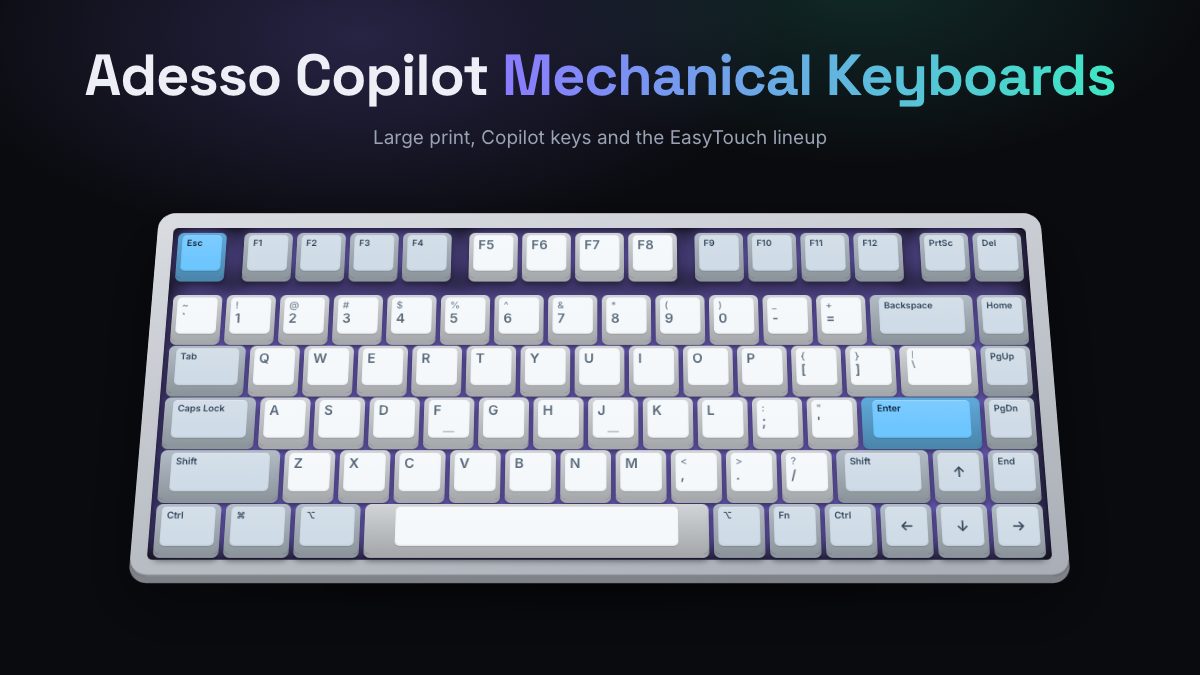
The Adesso AKB-610UB mechanical keyboard with Copilot is a wired, compact board with large-print legends, blue mechanical switches and a dedicated key that opens Microsoft Copilot in Windows 11. It sits at the budget end of the market, with a list price around $50, and it’s aimed at offices, schools and anyone who wants easy-to-read keys more than enthusiast extras.
It’s one of several Adesso models with a Copilot key. The lineup runs from simple wired large-print boards (EasyTouch 610 and 670) to quiet Cherry Brown models (EasyTouch 130 and 150) and the wireless, hot-swappable EasyTouch 1100. This guide explains each one, who it suits, and how Adesso compares with Logitech, Keychron and Royal Kludge. KeySim didn’t test these keyboards by hand. Everything here comes from Adesso’s published specs, distributor listings and news coverage.
Adesso Copilot Keyboards at a Glance
- The AKB-610UB (also sold as the EasyTouch 610) is a wired, 78-key compact board with 2X large-print legends and a Copilot hotkey.
- Adesso is a California peripherals maker founded in 1994. It’s best known for ergonomic and accessible office gear, not gaming or custom keyboards.
- The wired large-print models are about readability. Most listings say they use clicky blue switches, which are loud in shared spaces.
- The EasyTouch 130 and 150 swap in quieter Cherry Brown switches and add a split option.
- The EasyTouch 1100 is Adesso’s most enthusiast-style model: 75% layout, hot-swap switches, tri-mode wireless and VIA/QMK support.
- Independent reviews of Adesso keyboards are rare, so check the switch type on the exact listing before you buy.
| Model | Layout | Switches | Connection | Best for |
|---|---|---|---|---|
| EasyTouch 610 (AKB-610UB) | Compact, 78 keys | Blue (clicky) | Wired USB | Small desks, readable keys |
| EasyTouch 670 (AKB-670UB) | Full size, 104 keys | Blue (clicky) | Wired USB | Number entry, readable keys |
| EasyTouch 130 | Standard rectangular | Cherry Brown | Wired USB-A | Quiet offices |
| EasyTouch 150 | Curved split | Cherry Brown | Wired USB-A | Ergonomic comfort |
| EasyTouch 1100 | 75%, 88 keys | Red, hot-swap | USB-C, Bluetooth, 2.4GHz | Wireless and tinkering |
Who Adesso Is and What It’s Known For
Adesso is a peripherals company based in Walnut, California. Its about page says it was founded in 1994 and describes it as a design manufacturer of computer peripherals and mobile accessories. You’ll see its keyboards, mice and webcams in government, education and corporate catalogs more than on gaming store shelves.
The brand is best known for ergonomic keyboards and accessibility features like oversized key legends. Its mechanical boards follow the same thinking. They focus on readability, simple setup and work shortcuts, not RGB light shows or custom-keyboard trends. That matters when you set your expectations: an Adesso mechanical keyboard is a practical office tool first.
Adesso Mechanical Lineup Overview
Adesso’s current mechanical keyboards fall into three groups. There are wired large-print boards, quiet Cherry switch boards, and wireless enthusiast-style boards. Most recent models share one feature: a dedicated Copilot key.
Wired Large-Print Models: EasyTouch 610 and 670
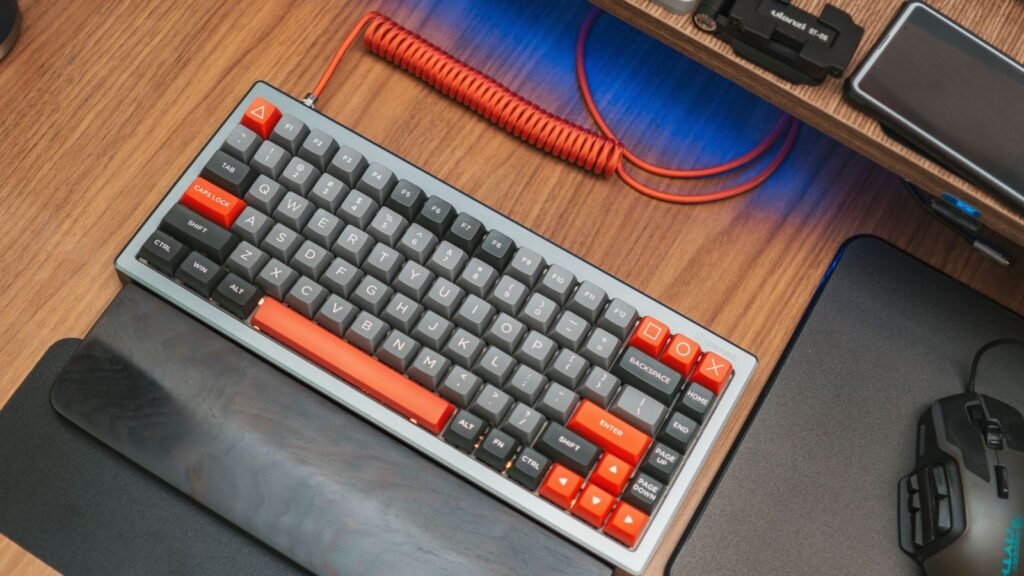
The EasyTouch 610 (model AKB-610UB) and EasyTouch 670 (model AKB-670UB) are the plainest options. Both are wired USB keyboards with legends Adesso calls 2X large print, a Copilot hotkey and support for Windows, macOS and Linux. The 610 is a compact 78-key board. The 670 is full size with 104 keys and a number pad, and Adesso’s quick guide lists a 6 ft cable.
Both have a list price around $50. Most listings describe blue switches, the clicky, tactile type that makes a sharp click on every press. Neither model is listed with a backlight.
Quiet Cherry Brown Models: EasyTouch 130 and 150
Adesso added the EasyTouch 130 and EasyTouch 150 in August 2025, according to Notebookcheck’s launch coverage. Both use Cherry Brown switches with a 55 g actuation force and a 2.2 mm actuation point. That’s a light tactile bump with no click. Adesso also mounts the switches with what it calls QuietTouch gaskets to cut typing noise.
The 130 is a standard rectangular board, priced under $50. The 150 is a curved split design, priced around $70. Both connect by USB-A, support N-key rollover (every key registers even when you press many at once), and have laser-etched legends at twice the normal size. The Copilot key sits to the right of the spacebar.
Wireless Models: EasyTouch 1000 and 1100
The EasyTouch 1000 is listed by distributors as an 84-key compact board with red switches, RGB lighting and USB, Bluetooth and 2.4GHz connections. The EasyTouch 1100 is the one enthusiasts should look at. It’s an 88-key 75% board (a compact layout that keeps the function row and arrows in a tight block) with these listed features:
- Hot-swap sockets, so you can pull switches and fit new ones without soldering
- Quiet red linear switches out of the box
- Tri-mode connection: USB-C cable, Bluetooth 5.0 and a 2.4GHz receiver
- A 4000mAh built-in battery charged over USB-C
- Gasket mount (the plate sits on soft pads instead of screws, for a softer, less echoey feel)
- VIA and QMK support for remapping keys, macros and lighting
- RGB backlighting and a Copilot key
Adesso’s list price for the 1100 is around $130. It’s the only Adesso board here that gives you the upgrade path hobbyists expect.
Adesso AKB-610UB Mechanical Keyboard with Copilot: Close Look
The AKB-610UB is the model most people searching for an Adesso mechanical keyboard with Copilot end up on. It aims to be a small, readable, no-setup keyboard for a work PC. Here’s what the listings agree on.
- Layout: compact, 78 keys, no number pad, under 12 inches wide
- Switches: blue mechanical switches rated for about 50 million keystrokes
- Legends: 2X large print for low-vision users or dim rooms
- Shortcuts: a dedicated Copilot key plus Windows and media hotkeys
- Connection: wired USB only, no wireless or Bluetooth
- Compatibility: Windows, macOS and Linux
- Lighting: none listed
One thing to watch: retailer copy isn’t consistent about the switch. Most listings and the product title say blue, but a few product descriptions mention red switches or call the blue switches linear. Blue switches are clicky and tactile, not linear. If noise matters, confirm the switch with the seller before ordering. Want to know what you’re signing up for? Hear linear vs tactile switches side by side in the simulator first.
Copilot and Productivity Models
The Copilot key is Microsoft’s newer standard key for Windows 11 PCs. Microsoft’s Copilot key announcement explains that it opens Copilot in Windows. If Copilot isn’t available or enabled on that PC, the key opens Windows Search instead.
On Adesso boards, that one key saves a trip to the taskbar. It’s handy for drafting emails, summarizing documents or asking quick questions during the workday. It’s built for Windows, so Mac and Linux users get little from it. Every model above includes it, so Copilot alone shouldn’t decide your choice. Pick on switch, layout and connection first.
The other productivity touches are simpler but useful. You get large legends on the 610, 670, 130 and 150, a number pad on the 670, a split layout on the 150 and programmable keys on the 1100.
Strengths and Common Complaints
There’s very little independent, in-depth review coverage of Adesso’s mechanical keyboards. Most of what’s published is maker and distributor copy, and retail listings carry only a handful of owner ratings. So the points below come from the specs and the trade-offs those specs imply.
Strengths:
- Large-print legends are uncommon on mechanical boards and help low-vision users, older typists and dim workspaces
- List prices around $50 for the wired models keep them within office and school budgets
- Multi-OS support and plug-and-play USB mean no software to install
- Cherry Brown switches on the 130 and 150 come from a long-established switch maker
- The 1100 offers hot-swap, gasket mount, VIA and tri-mode wireless, which you don’t often find from an office brand
Common concerns:
- Blue switches on the 610 and 670 are loud and can annoy coworkers in open offices
- Switch color descriptions conflict between listings, so buyers may not get the feel they expect
- The wired large-print models have no backlight and no hot-swap listed
- Street prices vary a lot between sellers, sometimes well above list price
- Few long-term reviews means less data on durability than you’ll find for Logitech or Keychron
Who Adesso Boards Fit
Adesso makes the most sense when readability and simplicity matter more than customization. Good fits include:
- Low-vision users and older typists who struggle with small legends. The 2X large print on the 610, 670, 130 and 150 is the brand’s clearest advantage.
- IT buyers for offices, schools and government. The models are listed with big public-sector distributors, are cheap, and work without drivers.
- Windows 11 users who use Copilot daily and want a one-press shortcut on a mechanical board.
- Shared or quiet spaces, as long as you pick the Cherry Brown EasyTouch 130 or 150 rather than a blue-switch model.
- People who want ergonomics on a budget. The EasyTouch 150 is a lower-cost way into a curved split layout. Our split keyboard guide covers the wider category.
Adesso is a weaker fit if you want to swap keycaps and switches freely, tune sound with foam and lube, or game competitively. Apart from the 1100, the lineup isn’t built for that. Mac users should know the Copilot key and Windows hotkeys add little on macOS.
How Adesso Compares with Other Brands
Three brands come up most often when people weigh an Adesso board.
Logitech sells polished work and gaming keyboards with strong software and multi-device wireless. It costs more at most tiers and doesn’t offer large-print legends. See our Logitech mechanical keyboard guide for its lineup.
Keychron is the go-to for Mac and Windows users who want hot-swap, aluminum builds and VIA remapping. It competes directly with the EasyTouch 1100 and has far more review coverage. Our Keychron guide explains its series.
Royal Kludge sells budget hot-swap and wireless boards that often undercut Adesso on features per dollar, though with less focus on accessibility. Read more in our Royal Kludge guide.
In short, pick Adesso for large print, a Copilot key and simple office setup. Pick one of the others if you care most about customization, software or review-backed durability.
Compare Adesso Models and Choose Yours
Start with two questions: how loud can your keyboard be, and do you need a number pad? Those two answers narrow the lineup quickly.
| If you want | Choose | Why |
|---|---|---|
| Smallest wired board with big legends | EasyTouch 610 (AKB-610UB) | 78-key compact, 2X print, Copilot key |
| Big legends plus a number pad | EasyTouch 670 (AKB-670UB) | Full size, 104 keys |
| A quiet board for a shared office | EasyTouch 130 | Cherry Brown, QuietTouch gaskets |
| A split, curved layout | EasyTouch 150 | Ergonomic split, Cherry Brown |
| Wireless and room to upgrade | EasyTouch 1100 | Hot-swap, tri-mode, VIA and QMK |
A few tips before you decide:
- Decide on switch feel first. Blue is clicky, brown is a quiet bump, and red is smooth. Use the switch sound guide to compare the types.
- Check the layout. If you rarely type numbers, a compact board leaves more room for your mouse. Our keyboard sizes guide explains 60%, 75%, TKL (tenkeyless, no number pad) and full size.
- Confirm the exact model number and switch color on the listing, since descriptions vary between sellers.
- Compare street prices with Adesso’s list price, because markups between sellers can be large.
If sound matters to you, remember that switch type isn’t the only factor. Gaskets, foam and keycap material all change it. See what changes keyboard sound for the basics.
Frequently Asked Questions
Is the Adesso Copilot Keyboard Worth It?
For readable keys and a one-press Copilot shortcut at a list price around $50, the AKB-610UB and AKB-670UB are fair value, especially for offices and low-vision users. They’re worth skipping if you want quiet switches, backlighting or upgrades. In that case, look at the EasyTouch 130 for quiet typing or the EasyTouch 1100 for wireless and hot-swap.
Are Adesso Keyboards Good?
Adesso keyboards are solid, practical office tools from a company that has made peripherals since 1994. Their strengths are accessibility, low prices and simple setup. They have far less independent review coverage than Logitech or Keychron, so long-term durability is harder to judge.
What switches does the Adesso AKB-610UB use?
Most listings, including the product title, say blue mechanical switches, which are clicky and tactile. A few descriptions mention red switches, so confirm with the seller if you need a quiet board.
Does the Adesso AKB-610UB work with a Mac?
Yes, it’s listed as compatible with Windows, macOS and Linux. The Copilot key and Windows hotkeys are designed for Windows 11, so they’re of limited use on a Mac.
What does the Copilot key do if Copilot isn’t available?
Microsoft says the Copilot key opens Windows Search when Copilot isn’t available or enabled on the PC. The keyboard still types normally either way.
Is the Adesso EasyTouch 1100 hot-swappable?
Yes. It’s listed with hot-swap sockets, so you can change switches without soldering. It also adds gasket mounting, VIA and QMK support, a 4000mAh battery and wired, Bluetooth and 2.4GHz connections.
Which Adesso mechanical keyboard is the quietest?
The EasyTouch 130 and 150 are the best picks for quiet typing. They use Cherry Brown switches, which have no click, and Adesso’s QuietTouch gaskets to dampen noise.
Open the simulator and switch between a clicky blue and a tactile brown switch to hear how the two switch types used across the Adesso lineup differ before you choose.