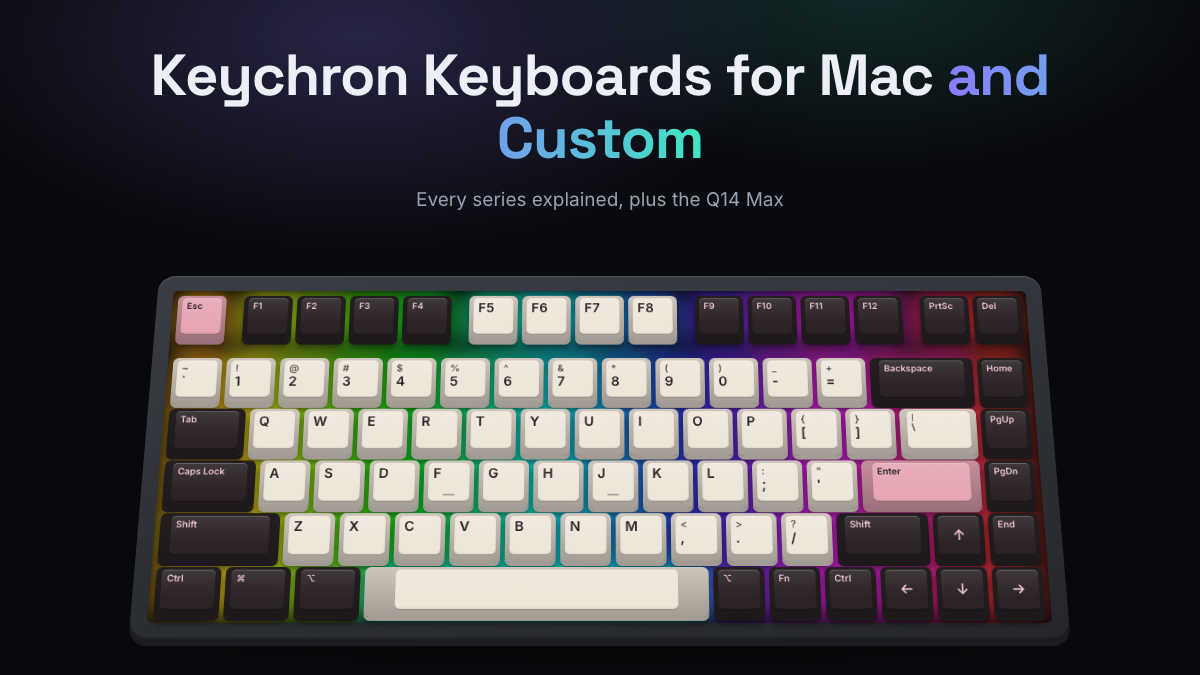
Keychron is the easiest way into custom-style mechanical keyboards that work properly on a Mac and a Windows PC. Its boards ship with a Mac/Windows switch, Mac keycaps in the box, wireless on most models, and hot-swap sockets on most current ones. The Keychron Q14 Max custom mechanical keyboard is a good example of where the brand is now. It’s a heavy aluminum, gasket mounted, wireless board with an ergonomic Alice layout, a design you’d once have needed a group buy to get.
The catch is choice. Keychron sells dozens of models across several series and generations, and the names (K2 Max, V1 Ultra 8K, Q6 Max) don’t explain themselves. This guide sorts out what each series is for, which boards suit Mac users, what QMK/VIA and hot-swap actually give you, and where the Q14 Max fits. Our picks are based on Keychron’s published specs and the consensus of reputable reviews and owner feedback. KeySim did not hands-on test these keyboards.
Keychron in a Nutshell
- C series is budget and wired, K series is slim wireless with Mac-style looks, V series is affordable custom-style plastic, Q series is premium full aluminum.
- Generations matter: Pro added QMK/VIA, Max added 2.4GHz wireless at 1000Hz, and Ultra 8K adds 8000Hz wireless and longer battery life.
- Almost every Keychron board has a Mac/Windows toggle and includes Mac keycaps, which is why Mac owners recommend the brand so often.
- The Q14 Max is a 96% Alice layout with the number pad on the left, a full metal case and tri-mode wireless. It suits ergonomic typists and left-handed mouse users.
- Common complaints: heavy Q boards, occasional stabilizer rattle, slow 90Hz Bluetooth polling and plastic bodies on the V series.
- Buy the hot-swap version if you can. Changing switches later is the cheapest way to change how the board feels and sounds.
| Series | Best for | Case | Typical sizes | Price tier |
|---|---|---|---|---|
| C series | First mechanical keyboard on a budget | Plastic | TKL, full size | Under $50 |
| K series | Slim wireless, Mac-style desk setups | Slim, varies by model | 60% to full size, low profile options | $60 to $130 |
| V series | Custom feel on a mid budget | Plastic | 60% to full size | $70 to $120 |
| Q series | Premium metal builds, enthusiasts | CNC aluminum | 60% to full size, Alice, 96% | $150 to $250 |
Who Keychron Is
Keychron started around 2017 with a simple idea: a wireless mechanical keyboard that felt at home next to a Mac. Its first board, the K1, launched on Kickstarter in 2018, and the K2 campaign that followed became one of the best known crowdfunded keyboards of its era. The company is registered in Hong Kong and now sells worldwide through its own regional stores.
That Mac-first origin still shapes the catalog, but the aluminum Q series and open source firmware have since made Keychron a common first step into custom keyboards too.
Keychron Lineups: C, K, Q, and V Series
Keychron’s naming has two parts: a series letter (what kind of board it is) and a generation suffix (how modern its electronics are). Once you know both, any model name makes sense.
C Series: Budget and Wired
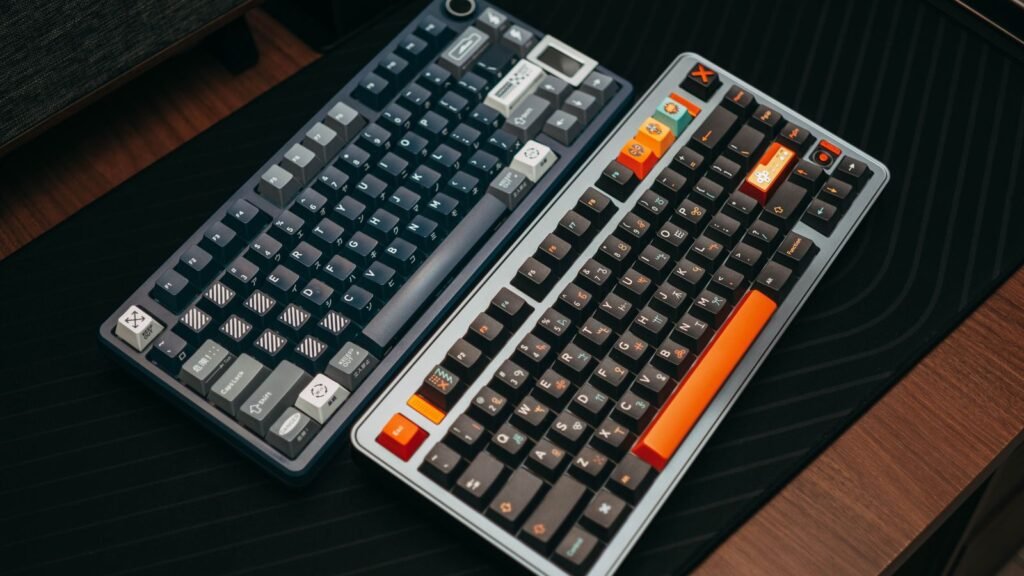
The C series is Keychron’s entry point. The C3 Pro, a TKL (tenkeyless, meaning no number pad) board, earned strong reviews for its price: PCWorld’s C3 Pro review noted a gasket mounted plate, internal foam, QMK/VIA support and a Mac mode toggled with Fn plus Caps Lock. The trade-offs are wired-only use, ABS keycaps and, on that model, switches soldered in place rather than hot-swappable. Check the exact version, since newer C boards vary.
K Series: Slim Wireless Boards
The K series is the original Keychron line and still the one most people picture: slim, wireless, Mac-styled. Current models carry the Max suffix, such as the K2 Max (75%), K8 Max (TKL) and K10 Max (full size), plus the K4 Max with its compact 96% layout. Keychron lists 1000Hz polling over the 2.4GHz dongle and wired, Bluetooth 5.1 to three devices, QMK firmware and a hot-swappable option.
There are also low-profile models, with flatter keycaps and shorter switches, including the K1 Max, K3 Max and full-size K5 Max. These are the closest Keychron gets to the feel of a MacBook keyboard. Our low-profile mechanical keyboard guide explains what you give up for the slimmer height.
V Series: Custom Feel in Plastic
The V series takes the recipe from the premium Q boards (gasket mount, sound-dampening foam, hot-swap sockets, knob, QMK/VIA) and puts it in a plastic case. The V1 Max (75%) is the classic example. Retail specs list a PC (polycarbonate) plate, a gasket mount, 1000Hz over 2.4GHz, a Mac/Windows toggle and keycaps for both systems.
A gasket mount means the plate sits on soft gaskets rather than screwing directly to the case, which gives a slightly cushioned feel and a softer sound. The main complaint is the plastic body itself, which reviewers say feels less premium. The newer V1 Ultra 8K and V5 Ultra 8K add 8000Hz wireless polling, ZMK firmware and much longer battery life, though one Tom’s Guide reviewer noted some case flex.
Q Series: Full Aluminum Customs
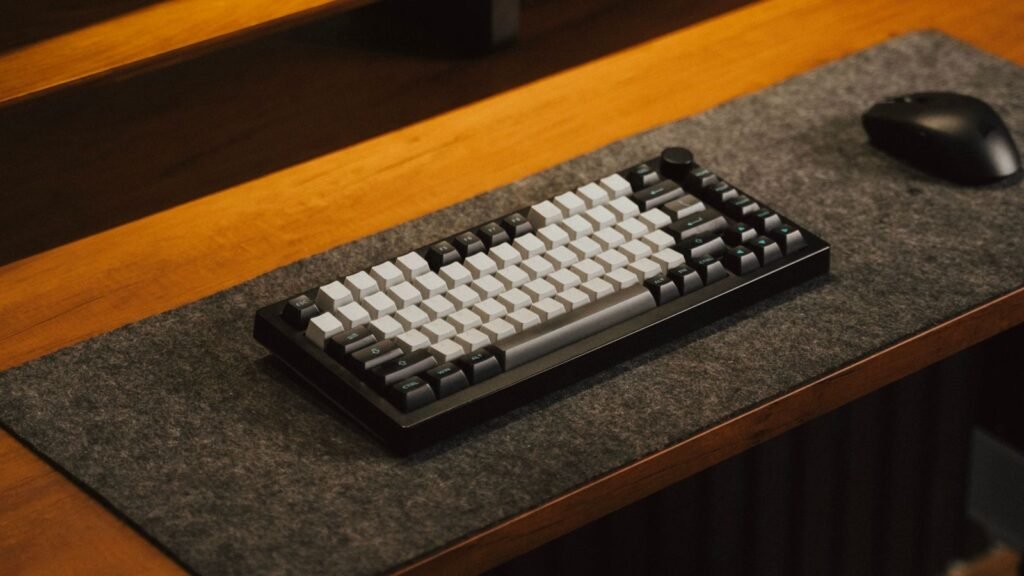
The Q series is where Keychron competes with enthusiast brands. These are CNC-machined aluminum cases with gasket mounts, hot-swap sockets, PBT keycaps and usually a volume knob. Sizes cover almost everything: Q1 Max (75%), Q3 Max (TKL), Q5 Max (96%), Q6 Max (full size), Q10 Max (75% Alice) and the Q14 Max (96% Alice).
PCWorld’s Q Max review described the series as feeling more solid than earlier Q boards, with wireless making it far more practical. Q Ultra 8K models are the newest generation, using ZMK firmware for 8000Hz wireless.
What Pro, Max and Ultra 8K Mean
- Pro: wired or Bluetooth with QMK/VIA support. Older generation, still found on some shelves.
- Max: adds a 2.4GHz dongle at 1000Hz plus Bluetooth and wired. Bluetooth polling is listed at 90Hz, so gamers should use the dongle.
- Ultra 8K: 8000Hz polling over wireless, ZMK firmware, configured through the Keychron Launcher web app, and battery figures up to 660 hours with the backlight off on V Ultra models.
Polling rate is how many times per second the keyboard reports to your computer. 1000Hz is plenty for typing and most gaming. 8000Hz mainly matters to competitive players.
Keychron Q14 Max Custom Mechanical Keyboard
The Q14 Max is the model most likely to have brought you here, and it’s one of the more unusual boards Keychron makes. It uses a 96% Alice layout: the alphanumeric keys split in the middle and angle outward so your wrists sit straighter, a bit like a gentle split keyboard in one piece. Unusually, the number pad sits on the left side.
Keychron’s listed specs and reviews agree on the core build:
- Case: full CNC 6063 aluminum. Tom’s Guide put the weight at around 5.4 pounds, so it stays where you put it.
- Mount and plate: gasket mount with a flexible polycarbonate plate.
- Connectivity: 2.4GHz wireless at 1000Hz, Bluetooth 5.1 to up to three devices, and wired USB-C.
- Switches: hot-swappable, accepting both 3-pin and 5-pin MX-style switches. Review units shipped with Keychron Banana switches.
- Keycaps: double-shot PBT in Keychron’s KSA profile, a tall, rounded spherical shape.
- Extras: a push-down volume knob and QMK/VIA remapping. A barebone version (no switches or keycaps) is sold for builders.
Who the Q14 Max Suits
Reviewers’ praise centers on comfort. Tom’s Guide called it the best ergonomic keyboard its reviewer had used, while its full Q14 Max review flagged the weight in its headline. AppleInsider called the left-side number pad unusual and said the layout took some relearning.
The left numpad is a real plus if you use your mouse with your right hand and want it closer to the keyboard, or if you enter numbers with your left hand while mousing with your right. It’s a minus if you’ve spent years on a right-side numpad. Owners also mention that no wrist rest is included, and with a tall aluminum case plus KSA keycaps, many will want one.
Pricing sits in the roughly $200 to $250 range depending on the configuration, with the barebone kit at the lower end. If the left numpad worries you, the Q10 Max offers the same Alice idea in a smaller 75% size with no numpad at all.
Best Keychron Boards for Mac
Keychron is one of the few mainstream brands that treats macOS as a first-class citizen. Most boards have a physical Mac/Windows switch that changes the key layout, and they include Command and Option keycaps so the legends match what your Mac expects. The function row also maps to Mac media controls such as brightness and Mission Control.
Based on specs and review consensus, these are sensible starting points:
- Best for a MacBook-like feel: K3 Max or K1 Max. Low profile, slim and easy to carry, with a feel closer to Apple’s own keyboard.
- Best all-round Mac desk keyboard: K2 Max or V1 Max. Compact 75% layout, wireless across three devices, and plenty of reviewers’ favorite value pick.
- Best premium Mac keyboard: Q1 Max. Aluminum case that matches a Mac setup, gasket feel, knob and tri-mode wireless.
- Best for numbers and spreadsheets: Q6 Max or K10 Max for a full layout, or the K4 Max and Q5 Max if you want a compact 96%.
- Best ergonomic option: Q14 Max or Q10 Max with the Alice layout.
One Mac-specific tip: Keychron’s web tools (VIA and Keychron Launcher) work in Chromium browsers such as Chrome, Edge or Arc. Safari doesn’t support the connection they use, so keep a Chromium browser around for remapping. For brands beyond Keychron, see our guide to mechanical keyboards for Mac and macOS.
QMK/VIA and Hot-Swap Options
These two features are why people call Keychron boards “custom” even though they arrive fully assembled. Together they let you change what each key does and how each key feels, without tools beyond a keycap and switch puller.
QMK, VIA and Keychron Launcher
QMK is open source keyboard firmware. VIA is a free app (and web page) that talks to QMK, letting you remap keys, build layers and record macros that are saved on the keyboard itself. That means your layout follows the board to any computer, Mac or PC, with no driver installed.
Keychron Launcher is the company’s own web app, and the Ultra 8K boards use it with ZMK firmware, which is designed around wireless efficiency. In practice, all three do the same everyday jobs: swap Caps Lock for Control, put media keys on a layer, or set the knob to scrub through a timeline.
Hot-Swap Sockets
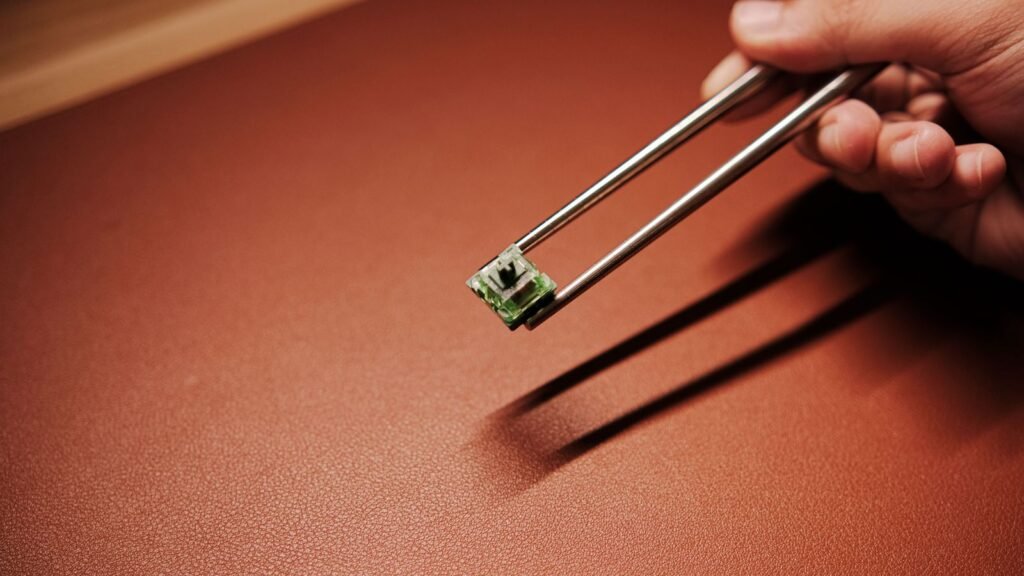
Hot-swap means the switches sit in sockets instead of being soldered, so you can pull them and press in new ones. Q and V series boards are hot-swappable, and most K Max models offer a hot-swap version (check the listing, since some budget variants are not). The Q14 Max, for example, accepts both 3-pin and 5-pin MX-style switches. Low-profile K boards need low-profile switches instead.
Switch type changes the experience more than almost anything else. Linear switches feel smooth, tactile switches have a bump, and clicky switches add a click. Before you buy a new set, hear linear vs tactile switches in the simulator, or compare switch sounds across all 20 options.
Strengths and Common Complaints
What people like:
- Mac support that just works, with keycaps and a toggle in the box.
- A huge range of sizes, including rare ones like Alice and 96%.
- Enthusiast features (gasket mount, hot-swap, QMK/VIA, PBT keycaps on Q boards) at mainstream prices.
- Tri-mode wireless across most of the range.
What people complain about:
- Q series boards are heavy and tall, so most people want a wrist rest.
- Stabilizers on larger keys can rattle out of the box.
- Bluetooth polling is listed at 90Hz, so latency-sensitive gamers need the dongle.
- V and C series cases are plastic and some reviewers find stock switches less smooth than premium options.
- The catalog is confusing, with old and new generations sold side by side.
Who Should Skip Keychron
If you want a slim office keyboard with no setup and wide retail availability, Logitech’s MX Mechanical line is simpler, though it isn’t hot-swappable. If you want the lowest possible price for hot-swap and RGB, brands such as Royal Kludge often undercut Keychron. Our RK Royal Kludge guide covers that trade-off. NuPhy is the main alternative for Mac users who want low-profile boards with more color and style.
Compare Keychron Models and Choose Yours
Decide on size first, then budget, then features. The table lines up the boards discussed here.
| Model | Size | Case | Connectivity | Pick it if |
|---|---|---|---|---|
| C3 Pro | TKL | Plastic | Wired | You want a cheap first board with QMK/VIA |
| K3 Max | 75% low profile | Slim | Tri-mode, 1000Hz | You want a MacBook-like feel |
| K2 Max | 75% | Standard profile | Tri-mode, 1000Hz | You want a classic compact wireless board |
| V1 Max | 75% | Plastic | Tri-mode, 1000Hz | You want gasket feel on a budget |
| V1 Ultra 8K | 75% | Plastic | Tri-mode, 8000Hz | You want long battery life and high polling |
| Q1 Max | 75% | Aluminum | Tri-mode, 1000Hz | You want a premium metal board |
| Q6 Max | Full size | Aluminum | Tri-mode, 1000Hz | You need a full numpad and nav cluster |
| Q14 Max | 96% Alice, left numpad | Aluminum | Tri-mode, 1000Hz | You want ergonomics plus a numpad |
A few rules of thumb:
- Pick the size. 75% suits most desks, TKL adds a proper navigation cluster, 96% squeezes in a numpad. Our keyboard sizes and layouts guide shows each one.
- Pick the series. Plastic V or K for value, aluminum Q for weight, sound and feel.
- Pick the generation. Max is the sweet spot for most people. Ultra 8K is worth it for battery life or competitive gaming.
- Choose hot-swap and a switch type. Linear for smooth and quiet, tactile for typists who like feedback.
If you’d like to see Keychron next to other brands, our best mechanical keyboards roundup compares picks across the market.
Frequently Asked Questions
Is Keychron Good for Mac?
Yes, it’s one of the most Mac-friendly mechanical keyboard brands. Most models have a physical Mac/Windows switch, include Command and Option keycaps, and map the function row to Mac media keys. Use a Chromium browser such as Chrome or Edge for remapping, since Safari doesn’t support Keychron’s web tools.
What Is the Best Keychron Keyboard?
For most people, a 75% Max board is the best balance: the V1 Max or K2 Max for value, or the Q1 Max for a premium aluminum build. If you want ergonomics and a numpad, the Q14 Max is the standout. Reviewers’ favorites shift between generations, so prioritize size and features over a single ranking.
Is the Keychron Q14 Max worth it?
It’s worth it if you want an ergonomic Alice layout, a numpad and a heavy aluminum build in one board. It costs roughly $200 to $250, weighs around 5.4 pounds and has the numpad on the left, so it suits people who are happy to adapt. If you don’t need a numpad, the Q10 Max is a smaller, cheaper Alice option.
What is the difference between Keychron Q and V series?
Both use gasket mounts, hot-swap sockets and QMK/VIA. The Q series has a CNC aluminum case that is heavier and usually sounds deeper and more solid, while the V series uses plastic to hit a much lower price. The V series is a great first custom-style board, and the Q series is the upgrade.
Are Keychron keyboards hot-swappable?
All Q and V series boards are hot-swappable, and most K Max models come in a hot-swap version. Some budget C series models have soldered switches, so check the specific listing. Low-profile K boards only take low-profile switches.
Can I use a Keychron keyboard for gaming?
Yes, as long as you use the 2.4GHz dongle or a cable, which run at 1000Hz on Max models and 8000Hz on Ultra 8K models. Bluetooth is listed at 90Hz, which is fine for typing but not ideal for fast games.
Curious whether a heavy aluminum Q board or a lighter plastic V board suits your ears? Open the simulator, pick a tactile or linear switch, then switch the case and plate options to hear how build choices change the sound.