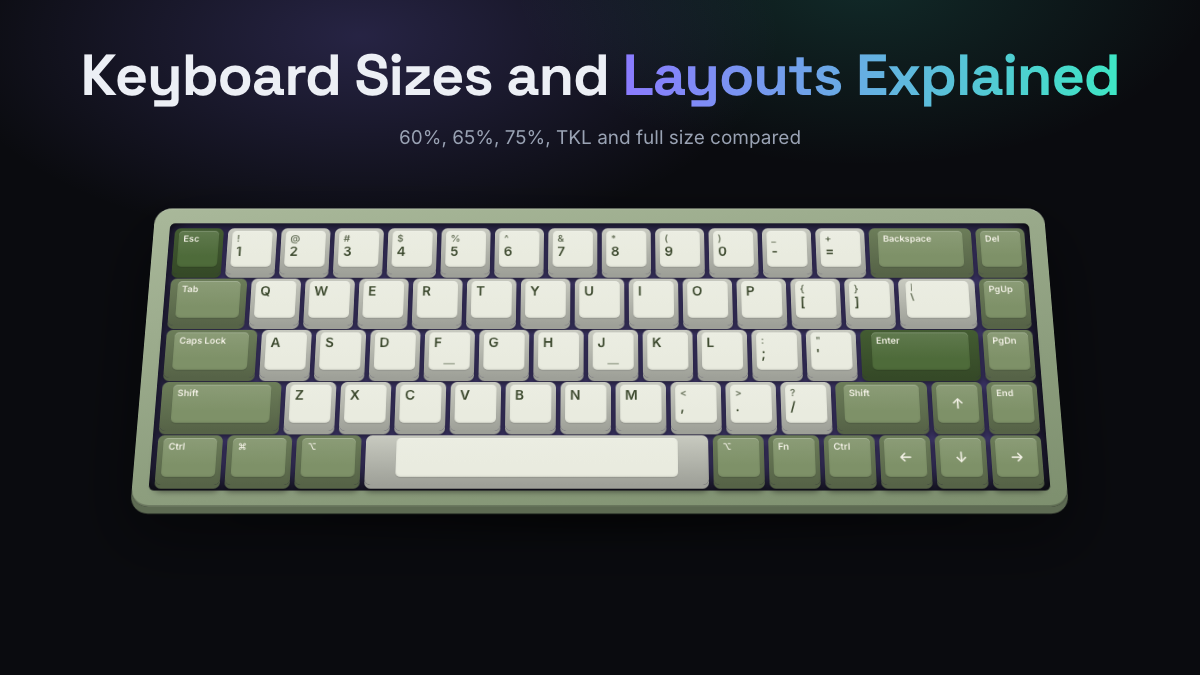
A compact mechanical keyboard is any board that drops some of the 104 keys on a standard full-size layout so it takes up less desk space. The common sizes are 60%, 65%, 75% and tenkeyless (TKL), and each one removes a different group of keys: the number pad goes first, then the navigation cluster, then the function row, and finally the arrow keys.
For most people, the right pick comes down to two questions: which keys do you press every day, and how much room does your mouse need? If you use arrow keys constantly, start at 65%. If you also lean on F-keys for work or games, look at 75% or TKL. If you want the smallest, most portable board and don’t mind using a function layer, 60% is the classic choice.
Quick Answers
- Full size has about 104 keys; TKL drops the number pad and keeps everything else.
- 75% keeps the function row and arrows in a tighter frame, which makes it the most popular all-rounder.
- 65% is the smallest common size with dedicated arrow keys.
- 60% removes arrows, F-keys and navigation keys, so you reach them through an Fn layer.
- Smaller boards free up mouse space and let you sit centered on the letters, which many people find more comfortable.
- Layout (key arrangement, such as ANSI, ISO or Alice) is a separate choice from size.
Keyboard Size Chart: 60 to Full Size
The percentages are rough labels, not a standard. A “65%” board from one brand might have 66 keys and another 68, and the exact spot of keys like Delete or Page Up varies between manufacturers. Still, each size follows a predictable pattern of what it keeps and what it cuts.
| Size | Typical keys | What it keeps | What it drops | Good for |
|---|---|---|---|---|
| 40% | 40 to 50 | Letters, a few modifiers | Number row, F-keys, arrows, navigation, numpad | Hobbyists who enjoy heavy layer use |
| 60% | About 61 | Letters, number row, modifiers | F-keys, arrows, navigation, numpad | Travel, gaming with lots of mouse room |
| 65% | 66 to 68 | 60% plus arrows and a column of keys like Delete and Page Up | F-keys, most navigation, numpad | Everyday typing in a small footprint |
| 75% | 80 to 84 | F-row, arrows, a compressed navigation column | Numpad, some navigation keys | Coders, writers, all-round use |
| TKL (80%) | About 87 | Full F-row, full navigation cluster, arrows | Numpad only | Gaming, people moving from full size |
| 96% / 1800 | 96 to 100 | Numpad and arrows, packed tightly | A few navigation keys, spacing gaps | Number entry on a narrower board |
| Full size (100%) | 104 (105 on ISO) | Everything | Nothing | Spreadsheets, data entry, accounting |
60, 65, 75, TKL and Full Size Compared
Full size is the default office keyboard: alphas, function row, a six-key navigation cluster (Insert, Home, Page Up and friends), arrows and a number pad. It’s the easiest to learn because nothing is missing, but it’s also about 17 to 18 inches wide, which pushes your mouse far to the right.
TKL, short for tenkeyless, removes the number pad (the “ten keys”) and nothing else. It’s the gentlest step down. Every key you know is still in its usual spot.
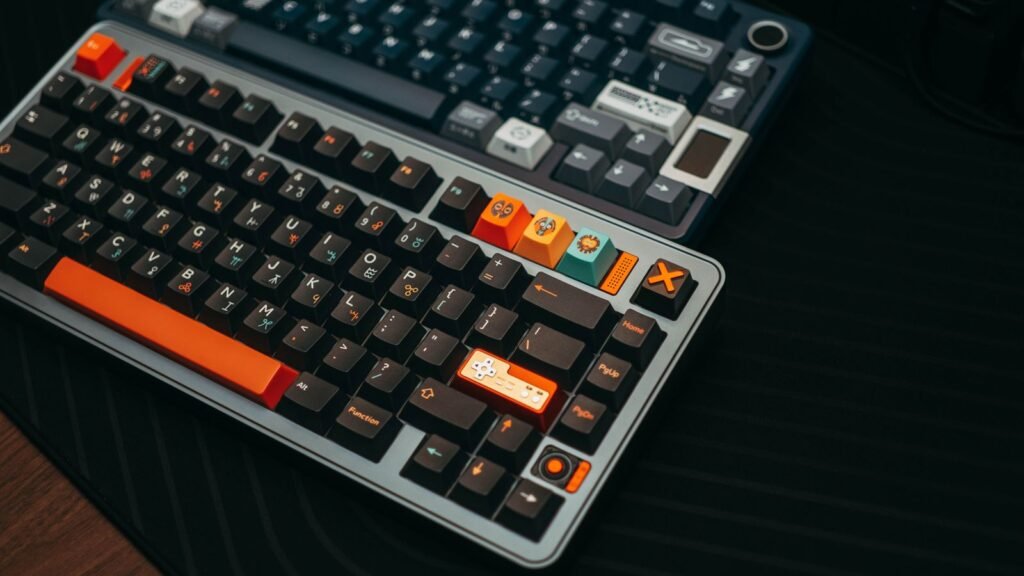
75% squeezes the function row and arrow keys into a frame with almost no gaps, and swaps the six-key navigation block for a single column on the right. Many 75% boards also add a rotary knob for volume. It keeps the keys most people actually use while saving a couple of inches over TKL.
65% removes the function row too. You keep arrow keys and usually four or five extra keys on the right edge (Delete, Page Up, Page Down, Home or End). F-keys move to a layer: hold Fn and press 1 for F1.
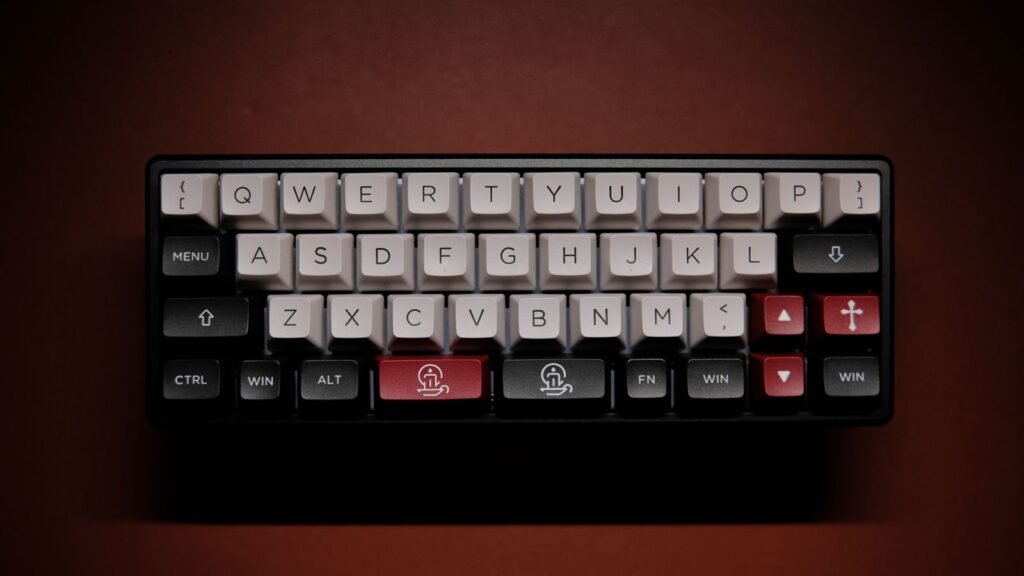
60% removes the arrows and that right-hand column. Arrows typically live on a layer, often Fn plus I, J, K and L or Fn plus W, A, S and D. It’s the iconic minimalist board and the most portable of the common sizes.
If you’re unclear on what makes these boards mechanical in the first place, our explainer on how a mechanical keyboard works covers switches, stabilizers and plates.
How to Choose a Layout for Your Desk
“Size” tells you how many keys a board has. “Layout” describes how those keys are arranged. Both matter, and the best mechanical keyboard layout for you depends on your desk, your hands and what you do all day.
Start with the mouse
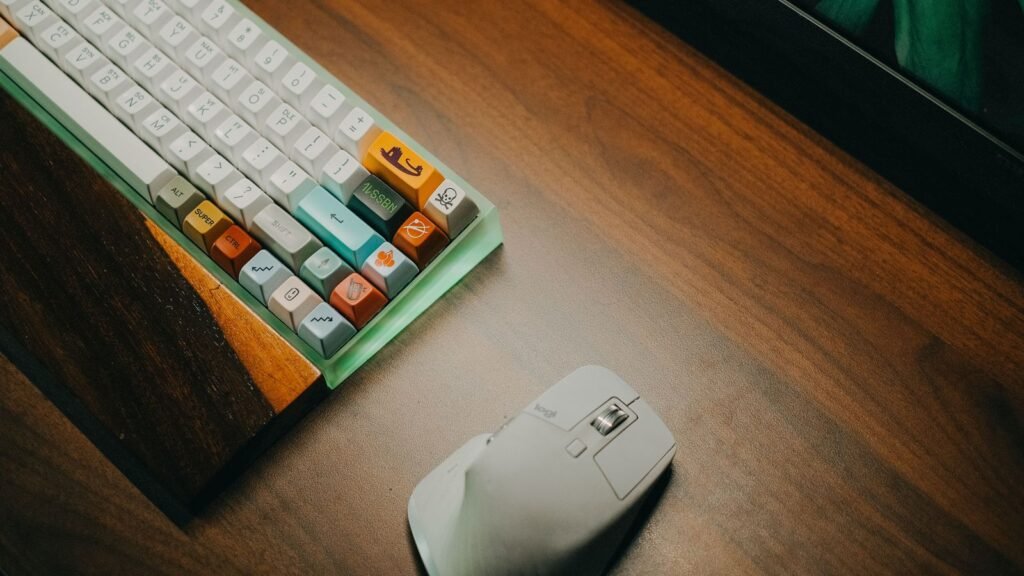
With a full-size board, the letters sit left of center, so you either type off-center or reach farther for the mouse. Going to 75% or 65% lets you center the G and H keys in front of you while the mouse stays close to your shoulder. On a desk narrower than about 40 inches, or a keyboard tray, that difference is noticeable.
Count the keys you really use
For a day or two, notice which keys outside the letter area you press. Common patterns:
- You use the number pad for spreadsheets or accounting: stay full size or try a 96% board.
- You use Home, End, Page Up and Insert often: TKL keeps them in their familiar block.
- You use F-keys for IDE shortcuts, game binds or F2 to rename files: 75% or TKL.
- You only need arrows: 65% gives you the smallest board with dedicated arrow keys.
- You barely leave the letters: 60% or even 40%, with a programmable layer.
ANSI, ISO and other arrangements
ANSI is the standard in the US: a wide, single-row Enter key and a long left Shift. ISO, common in the UK and much of Europe, uses a tall, L-shaped Enter and adds a key next to a shorter left Shift. Most compact boards ship in ANSI first, so if you type in a European language, check that an ISO version exists in the size you want. Keycap sets also need to match the layout.
The Alice layout
The Alice layout splits the letter keys into two halves angled slightly inward, with a gap in the middle and a split spacebar. According to the Deskthority wiki entry on the Alice layout, it began with the TGR Alice, a 2018 enthusiast board, and the name stuck to every board that copied the shape. The angle lets your wrists sit straighter than on a standard row-staggered board, without the full learning curve of a true split keyboard. Most Alice boards are 65% or 75% sized.
Expect a week or two of adjustment, mainly for the B key (which you may hit with the “wrong” hand) and the split spacebar. If you want a bigger ergonomic change, read our guide to split mechanical keyboards.
Mounting, plates and sound
Size also affects sound. Smaller cases have less internal air volume, and features like a gasket mount (the plate sits on soft rubber strips instead of being screwed directly to the case) give a softer, more cushioned feel. You can hear how plate, foam and case choices change the sound before deciding which build style suits you.
Compact Boards for Travel and Small Desks
If the board is going into a backpack, 60% and 65% are the sweet spot. They’re short enough to fit beside a laptop on a café table, and a 60% is usually only about 11 to 12 inches wide.
For travel, a few specs matter more than size alone:
- Wireless modes. Bluetooth lets you pair with a laptop, tablet and phone. A 2.4 GHz dongle gives a more stable, lower-latency link, which matters for games. Many compact boards offer both plus wired USB-C.
- Multi-device pairing. Look for at least three Bluetooth slots so you can flip between work laptop, personal laptop and tablet with a key combo.
- Weight. Aluminum cases sound and feel solid but can weigh 3 to 4 pounds. A plastic case is far easier to carry.
- Height. A low-profile board (shorter switches and keycaps) sits flat next to a laptop and slides into a sleeve. Our guide to low-profile mechanical keyboards goes deeper.
- Hot-swap sockets. Hot-swap means you can pull switches out and push new ones in without soldering, so you can change the feel later instead of buying a new board.
On a small desk at home, a 65% or 75% board gives you the space savings without as much layer juggling. If your desk is shared with a drawing tablet, a stream deck or a second mouse, that extra width matters more than the board itself.
When to Keep Arrow Keys and F-Keys
Dropping keys sounds simple until you hit the third Fn combo of the morning. These are the situations where it pays to keep dedicated arrows, F-keys or both.
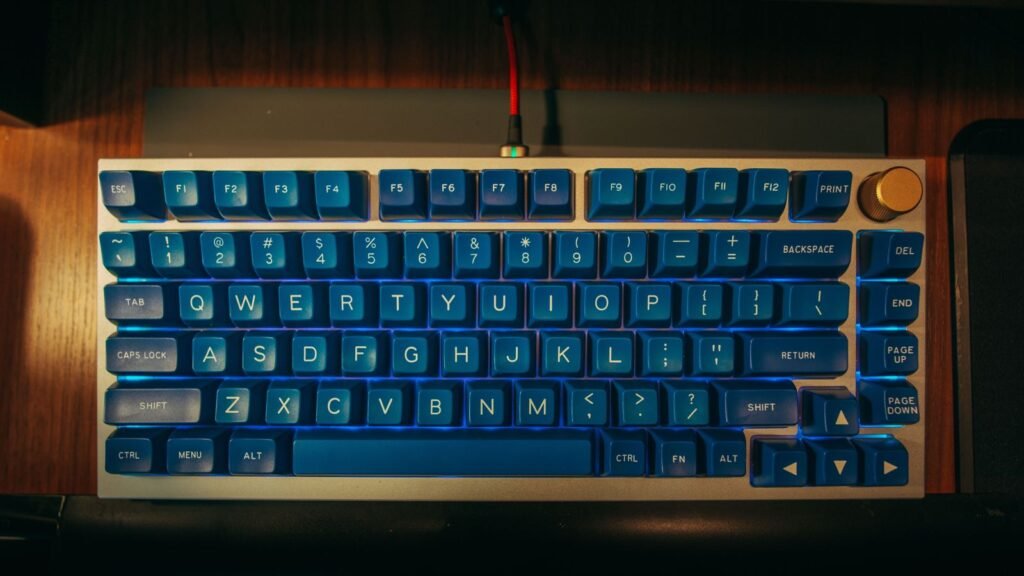
Keep arrow keys (65% or larger) if you:
- Edit text, code or spreadsheets and move the cursor constantly.
- Play games that use arrows for menus, building or secondary controls.
- Don’t want to remap or learn a layer on day one.
Keep F-keys (75% or larger) if you:
- Use an IDE where F5 runs, F10 steps and F12 jumps to a definition.
- Work in Excel (F2 to edit a cell, F4 to lock a reference).
- Bind abilities or quick saves to F-keys in games.
- Use Windows shortcuts like Alt plus F4 or F2 to rename.
You can probably skip both (60%) if you:
- Mostly type prose, chat and browse.
- Play shooters with your hand parked on W, A, S and D.
- Are happy to set up a layer in software such as VIA or QMK, open-source tools that let you remap any key from a browser or app.
A good test: try a size for two weeks before judging it. The first few days always feel slow. If you still miss a key after two weeks, you’ll know exactly which size up to choose. You can also run our typing test before and after the switch to see whether your speed actually drops or just feels like it does.
Compact Mechanical Keyboard Models Grouped by Need
These are representative examples of each size and style, not a ranked list. We picked them from manufacturer spec sheets and the consensus of reputable reviews and owner feedback. KeySim did not test these keyboards hands-on, so treat this as a map of what’s available, and confirm the exact variant on the maker’s site before you commit.
For a budget 65% wireless board
The Royal Kludge RK68 is a long-running 65% board with 68 keys, Bluetooth (up to three devices) plus wired USB-C, and hot-swappable switches. It typically sells for under $75, which makes it a low-risk way to find out if 65% suits you. Check the listing carefully, since some versions offer RGB lighting and others a single backlight color.
For a premium 75% all-rounder
The Keychron Q1 Max is an all-aluminum 75% board with a knob, gasket mount, hot-swap sockets, and 2.4 GHz, Bluetooth and wired modes. It runs QMK firmware with Keychron’s web app for remapping. Expect around $200 to $250 fully assembled, or less as a barebone (no switches or keycaps).
For the Alice layout
The Keychron Q8 Max is a 65% Alice-layout board with the same aluminum, gasket-mount, hot-swap and tri-mode wireless recipe as the Q1 Max. It sits in the same $200 to $250 tier. Keychron offers several other Alice boards in different sizes and price points, so it’s a good brand to browse if the angled layout appeals to you.
For travel and laptop users
The Keychron K3 Max is a low-profile 75% board with 84 keys, 2.4 GHz, Bluetooth and wired modes, and hot-swap sockets for low-profile switches. It’s slim enough to sit beside a laptop without a wrist rest. It’s around $100 to $150 depending on the version. Keychron lists Mac, Windows and Linux support for it.
For competitive gaming at 60%
The Wooting 60HE+ is a 60% board built around Hall effect switches (magnetic sensors instead of metal contacts). That allows analog input and rapid trigger, where a key resets the moment you start lifting it rather than at a fixed point. It’s aimed squarely at fast shooters where mouse room matters most.
For a compact ergonomic option
The Perixx Periboard-335 is a wired compact ergo-mechanical keyboard with a split key frame, a curved shape and quiet low-profile switches. Its remapping software is Windows only, but it works on macOS and Linux with on-board macro setup. It’s a lower-cost way to try a gentler ergonomic shape than a full split board.
For ranked picks across every size, see our list of the best mechanical keyboards.
Explore Size Pages and Best-Of Picks Next
Once you’ve narrowed down a size, the next choices are switch type, build and sound. Linear switches (like reds) feel smooth, tactile switches (like browns) have a bump, and clicky switches (like blues) add a sharp click. Those matter more to how a board feels day to day than the difference between 65% and 75%.
From here, our hub on mechanical keyboards links to every guide on the site, including low-profile, split and Mac-focused boards. When you’re ready to compare finalists, the best-of list ranks specific models by use.
Frequently Asked Questions
What Size Mechanical Keyboard Should I Get?
Pick the smallest size that still has every key you use daily. If you use the number pad, get full size; if you use F-keys, get 75% or TKL; if you only need arrows, 65% works; and if you rarely leave the letters, 60% saves the most space. A 75% board is the safest first choice for most people.
What Is the Difference Between 60 Percent and 75 Percent?
A 60% board has about 61 keys and no function row, arrow keys or navigation keys, so you reach those through an Fn layer. A 75% board adds back the F1 to F12 row, dedicated arrows and a column of navigation keys, usually with about 80 to 84 keys total. The 75% is roughly an inch or two wider and taller but needs far fewer key combos.
Is a 65% keyboard good for gaming?
Yes, for most games. A 65% board keeps arrow keys and frees up a lot of mouse room, which helps in games that use wide, low-sensitivity mouse swipes. If your games rely on F-key binds, a 75% or TKL board will be more convenient.
What does TKL mean on a keyboard?
TKL stands for tenkeyless, meaning the keyboard has no number pad (the “ten key” section). Everything else, including the function row, navigation cluster and arrows, stays in the standard position. It’s often called an 80% keyboard.
Are compact keyboards better for ergonomics?
They can be. A narrower board lets you keep your mouse closer to your body and center your hands on the letters, which reduces shoulder reach for many people. For bigger wrist and posture changes, an Alice or split layout does more than size alone.
Is the Alice layout hard to get used to?
Most people adapt in one to two weeks. The main adjustments are the angled key rows, the split spacebar and the B key, which you may be used to pressing with the “wrong” hand. If you already touch type with correct finger placement, the switch is usually easier.
Can I use a 60% keyboard for programming?
Many programmers do, but it depends on your tools. If you use arrow keys and F-keys constantly, a 60% board means a lot of Fn combos, so a 65% or 75% board is often more comfortable. Boards with QMK or VIA support let you place those keys wherever suits your workflow.
Open the simulator, flip through its five layouts and type a paragraph on each to see which key arrangement feels natural, then swap between linear and tactile switches to hear the difference.