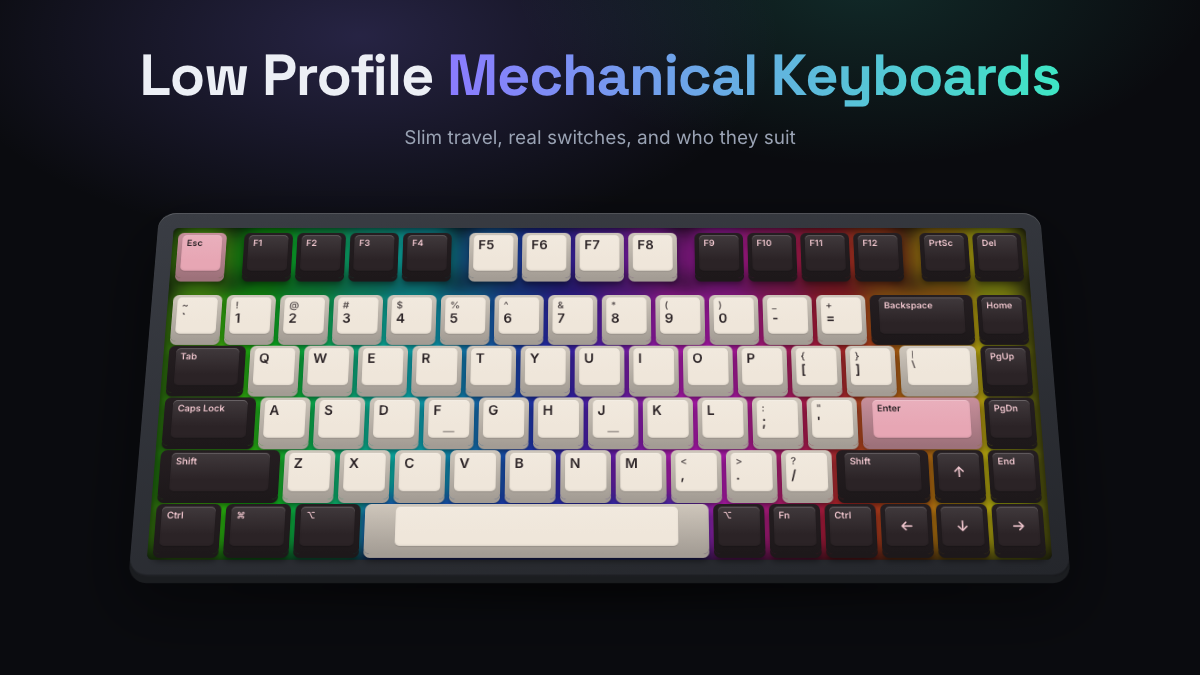
A low profile mechanical keyboard uses shorter switches and flatter keycaps, so the whole board sits about as high as a laptop deck instead of towering over your desk. You still get a real mechanical switch under every key, with a spring, a defined actuation point and a choice of linear, tactile or clicky feel. What you give up is travel: most low-profile switches move about 3 mm instead of the usual 4 mm.
That trade suits people who type on laptops all day, carry a keyboard in a bag, or want a clean, flat desk without a wrist rest. This guide explains how low-profile switches differ from standard ones, who they suit, which specs matter, and which real boards fit which kind of user. Our picks are research-based: manufacturer specs plus the consensus of published reviews and owner feedback.
Low-Profile Keyboards at a Glance
- Low-profile switches typically travel about 3 to 3.2 mm (standard MX-style switches travel about 4 mm), and ultra-low-profile designs go as short as 1.8 mm.
- They feel quicker and lighter, sit closer to the desk, and usually don’t need a wrist rest.
- The big trade-off is choice: low-profile switches and keycaps come in fewer varieties, and many families don’t share parts with each other.
- Check hot-swap support, the switch family and the keycap stem before you buy if you plan to mod later.
- Lofree, NuPhy, Keychron and Logitech cover most needs, from quiet office typing to wireless gaming.
- Travel boards should have Bluetooth plus a 2.4 GHz dongle, a 75% layout and a long battery life.
Low-Profile Vs Traditional Switch Height
A standard mechanical switch, the Cherry MX style found on most boards, stands about 18.5 mm tall, travels around 4 mm and actuates (registers the press) around 2 mm down. Add a normal keycap and a case, and the front edge of the keyboard often sits 30 mm or more above the desk. Low-profile switches cut both the switch height and the travel, then pair them with keycaps that are only a few millimeters tall.
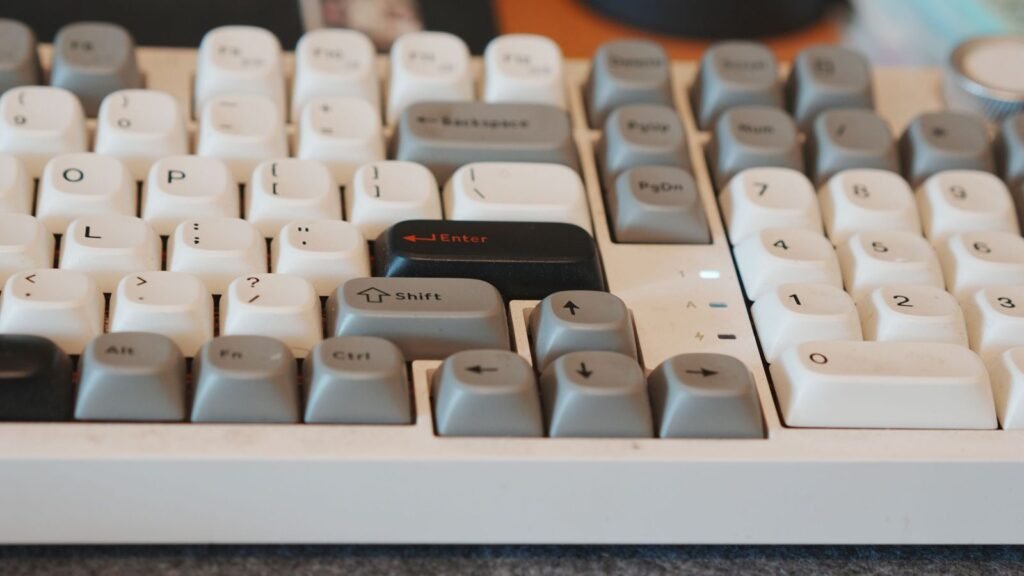
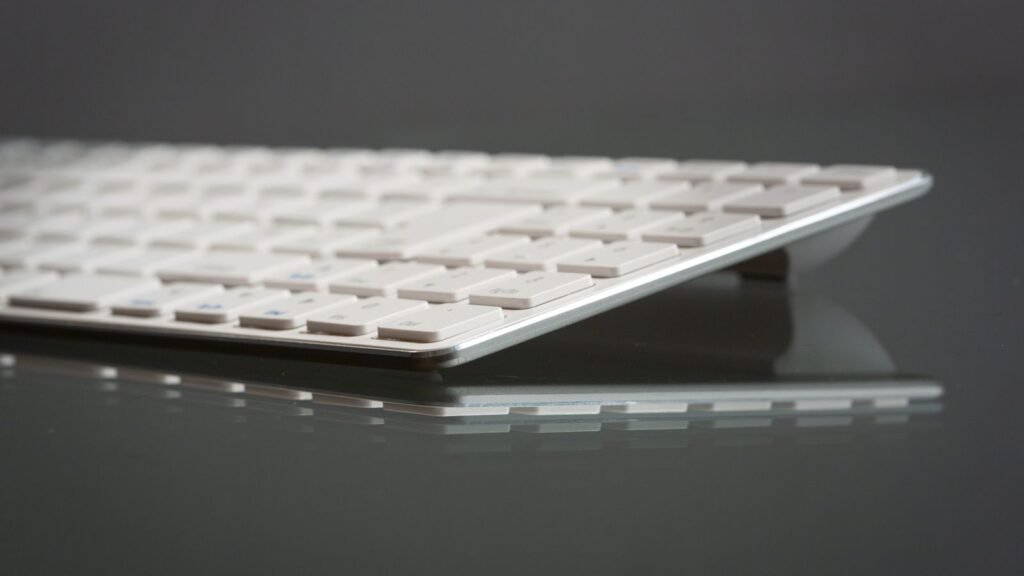
The result is a keyboard closer to the feel of a laptop, but with a proper spring and switch instead of a rubber dome or scissor mechanism. If you’re new to how switches work, our explainer on what a mechanical keyboard is covers the basics.
The Main Low-Profile Switch Families
Low-profile switches are not one standard. Each maker built its own, and most are not cross-compatible. These are the families you’ll see on current boards:
| Switch family | Total travel | Actuation point | Keycap fit | Where you’ll see it |
|---|---|---|---|---|
| Standard MX-style (for reference) | about 4 mm | about 2 mm | Any MX keycap | Most mechanical keyboards |
| Kailh Choc v1 | about 3 mm | about 1.3 mm | Choc-stem keycaps only | DIY ergonomic and split boards |
| Kailh Choc v2 | about 3.2 mm | about 1.3 mm | MX-style cross stem, low caps | Logitech MX Mechanical |
| Gateron low profile | about 3 to 3.2 mm | about 1.3 to 1.7 mm | Low-profile MX-stem caps | Keychron K Max series |
| Cherry MX Low Profile | about 3.2 mm | about 1.2 mm | Low-profile MX-stem caps | Slim gaming and office boards |
| Cherry MX Ultra Low Profile | 1.8 mm | 0.8 mm | Proprietary | Corsair K100 Air |
Brands also make their own low-profile lines. Lofree works with Kailh on switches like the Specter, Ghost (linear), Phantom (tactile) and Wizard (clicky), and NuPhy uses its own Nano low-profile switches. These fit their own boards first, so treat them as a closed ecosystem unless the maker says otherwise.
What Changes in Feel and Sound
Shorter travel means each keystroke finishes sooner. Fast typists often like the reduced finger movement, while people coming from full-height switches can find it a little abrupt at first, like typing on a firm laptop keyboard with more snap. Tactile bumps tend to be smaller too, because there’s less room in the stroke for a pronounced bump.
Sound is usually lighter and higher pitched. There’s less air in a thin case and less mass in a short keycap, so you rarely get the deep “thock” of a tall, foam-filled board. You can hear how plate, case and foam choices change the sound in the simulator to get a feel for why slim builds sound the way they do. Thin cases usually behave more like the no-foam, hollow end of that range.
Best Uses: Travel, Mac, and Slim Desks
Low-profile boards shine wherever a tall keyboard feels out of place. Three groups get the most out of them.

Travel
A low-profile mechanical keyboard for travel slides into a laptop sleeve or backpack pocket without much bulk. For travel, look for:
- A 75% layout (84 keys, which keeps the function row and arrow keys but drops the number pad) or smaller.
- Both Bluetooth and a 2.4 GHz USB dongle, so you can pair with a tablet on the train and get a steadier link at a hotel desk.
- Multi-device pairing, so one keyboard handles your laptop, phone and tablet.
- A plastic case if weight matters. Aluminum feels premium but adds noticeable heft; the NuPhy Air75 V3 is listed at about 724 g, while the plastic Lofree Flow Lite84 is about 550 g.
Mac Users
Low-profile boards pair naturally with MacBooks because the key height and typing angle feel familiar. Most of the boards in this guide ship with Mac keycaps or dual-legend caps and a Mac/Windows toggle, so Command and Option land where you expect. Check that the media and brightness keys work on macOS before buying, since some software for remapping is Windows-only.
Slim Desks and Wrist Comfort
A typical full-height mechanical keyboard angles your wrists upward unless you add a wrist rest. Because low-profile boards sit so low, many people type comfortably with their palms on the desk. If you also have shoulder or wrist strain, our guide to split mechanical keyboards covers layouts that change your posture more dramatically, and many of those use Kailh Choc switches too.
Gaming
Shorter travel and early actuation can feel responsive in games, and gaming brands now make wireless low-profile boards with fast 2.4 GHz connections. Look at polling rate (how many times per second the keyboard reports to the computer; 1,000 Hz is the usual standard) and wireless latency rather than the “low profile” label alone.
Popular Low-Profile Mechanical Boards
There’s no single best low profile mechanical keyboard, because the right one depends on what you’ll do with it. Below are real, currently sold models grouped by need, picked from manufacturer specs and the consensus of reputable reviews. For ranked picks across every type of board, see our best mechanical keyboards guide.
Affordable and Quiet: Lofree Flow Lite84
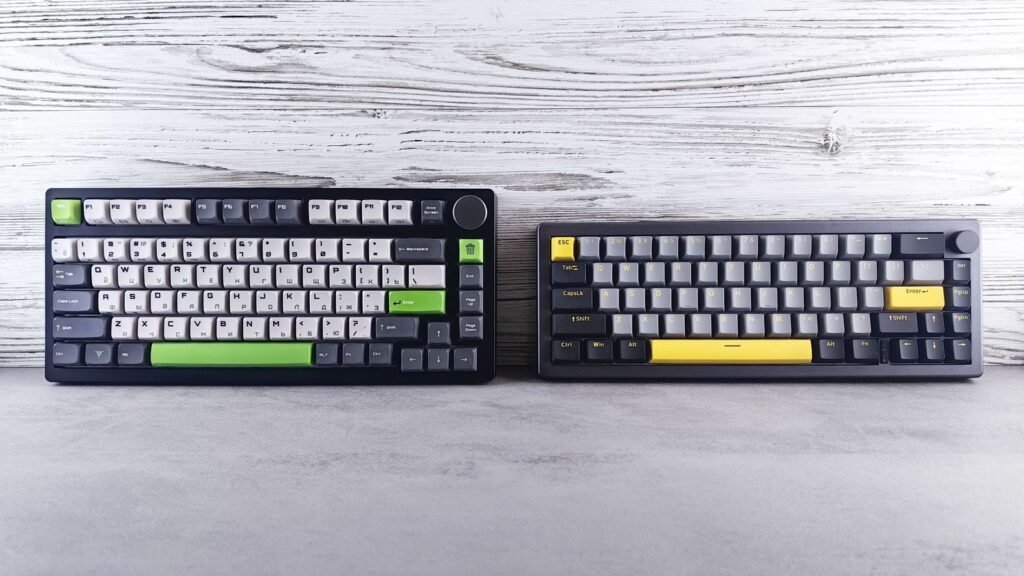
The Flow Lite84 is Lofree’s more affordable low-profile mechanical keyboard, sold around $100 on Lofree’s own store. It’s a 75% board with an ABS plastic case, a gasket mount (the plate sits on soft gaskets rather than being screwed to the case, which softens the feel) and Kailh Specter linear switches made entirely of POM plastic for a smooth, quiet stroke. It connects over USB-C, Bluetooth and a 2.4 GHz dongle.
Notebookcheck’s review praised the typing feel and battery life but flagged Windows-only remapping software, keycaps that developed shine quickly, and sockets that only accept Lofree’s own switches. It’s a strong fit if you want a quiet, light office board and don’t plan to customize much.
Design-Led Desk Setup: Lofree Flow84
The Flow84 is the step-up model, with an aluminum frame, doubleshot PBT keycaps (PBT is a harder plastic that resists shine better than ABS) and a choice of Lofree x Kailh switches: Ghost linear, Phantom tactile or Wizard clicky. The switches are hot-swappable, meaning you can pull them out and fit new ones without soldering, though you’re limited to compatible Lofree switches.
It connects by Bluetooth and USB-C, with no 2.4 GHz dongle, and reviewers found the battery life short. Expect to pay roughly $150 to $170. It suits someone who values looks and a premium feel on a desk more than long wireless sessions on the road.
Mac and Travel: NuPhy Air75 V3
NuPhy built its reputation on slim boards for Mac users, and the Air75 V3 is its current 75% model. NuPhy lists it at 13.2 mm thick, with a gasket mount, hot-swappable low-profile switches, plate-mounted stabilizers and north-facing RGB lighting. It connects by 2.4 GHz, Bluetooth or USB-C, with 1,000 Hz polling on the dongle and cable.
The 4,000 mAh battery is large for the category, which helps on trips. The aluminum build makes it heavier than plastic rivals, so it’s a better match for someone who travels between a home and office desk than for someone counting every gram.
Remapping and Value: Keychron K3 Max
The Keychron K3 Max is a 75% ultra-slim board with Gateron low-profile 2.0 switches in red (linear), brown (tactile) or blue (clicky). It runs QMK firmware, so you can remap any key or build macros in Keychron’s browser-based Launcher app, and it ships with keycaps for both macOS and Windows.
Note that hot-swap is only on the RGB hot-swappable version, so pick that one if you want to change switches later. It typically sells around $100, which makes it one of the easier ways into low-profile boards with real software support.
Multi-Device Office Work: Logitech MX Mechanical
The MX Mechanical is a full-size board built for people who move between computers. It uses Kailh Choc v2 switches in linear, tactile or clicky versions, pairs with up to three devices over Bluetooth or a Logi Bolt receiver, and works across Windows and macOS. Reviewers note that the switches are soldered, not hot-swappable, and that there’s no wired data mode: the USB-C port only charges it.
It’s a good fit if you live in office apps and want a number pad, multi-device switching and Logitech’s software. Enthusiasts who like to tinker will find it limiting.
Wireless Gaming: Logitech G515 Lightspeed TKL and Corsair K100 Air
The Logitech G515 Lightspeed TKL is a tenkeyless (TKL, meaning no number pad) board about 22 mm thick, with low-profile Kailh GL switches and Lightspeed 2.4 GHz wireless, Bluetooth or a cable. Reviewers liked its quiet, sleek design but pointed out it isn’t hot-swappable and lacks extras such as a volume roller.
For the thinnest option, the Corsair K100 Air is 11 mm at its slimmest point and uses Cherry MX Ultra Low Profile tactile switches, which travel just 1.8 mm. It supports up to 8,000 Hz polling over a cable and sits well over $200, so it’s a niche pick for people who want the flattest gaming board available.
What to Check in a Low Profile Mechanical Keyboard
A few specs matter more on slim boards than on standard ones.
- Switch family and keycap stem. This decides what you can swap later. Kailh Choc v1 needs Choc keycaps, while Gateron and Cherry low-profile switches take low-profile MX-stem caps. Standard-height keycaps rarely clear a low-profile case.
- Hot-swap scope. “Hot-swappable” may only mean the brand’s own switches fit. Read the fine print.
- Connectivity. Bluetooth is great for tablets and phones but typically runs at a lower polling rate (often 125 Hz). For gaming, use the dongle or a cable.
- Battery. Backlighting drains slim batteries fast. Look for runtime figures with the lights off and on.
- Software and OS support. Some remapping tools are Windows-only. If you’re on a Mac, check before you buy.
- Keycap material. PBT holds up better than ABS against shine, which matters on thin caps you can’t easily replace.
If you’re still deciding between a slim board and a standard one, our overview of mechanical keyboards walks through every type side by side.
Compare Low-Profile Options and Choose Yours
Here’s how the models above line up. Prices change often, so treat the use cases as the main guide.
| Model | Layout | Switches | Hot-swap | Connections | Good fit for |
|---|---|---|---|---|---|
| Lofree Flow Lite84 | 75% | Kailh Specter linear | Lofree switches only | USB-C, Bluetooth, 2.4 GHz | Budget, quiet office typing |
| Lofree Flow84 | 75% | Kailh Ghost, Phantom, Wizard | Yes, Lofree switches | USB-C, Bluetooth | Premium desk setups |
| NuPhy Air75 V3 | 75% | NuPhy Nano low profile | Yes | USB-C, Bluetooth, 2.4 GHz | Mac users, travel |
| Keychron K3 Max | 75% | Gateron low profile 2.0 | RGB hot-swap version | USB-C, Bluetooth, 2.4 GHz | Remapping, Mac and Windows |
| Logitech MX Mechanical | Full-size | Kailh Choc v2 | No | Bluetooth, Logi Bolt | Multi-device office work |
| Logitech G515 Lightspeed TKL | TKL | Kailh GL | No | USB-C, Bluetooth, Lightspeed | Wireless gaming |
| Corsair K100 Air | Full-size | Cherry MX Ultra Low Profile | Not advertised | USB, Bluetooth, Slipstream | Thinnest gaming board |
A simple way to choose:
- Decide where you’ll use it most: one desk, several devices, or in a bag.
- Pick the layout: 75% for travel and Mac setups, TKL for gaming, full-size if you need a number pad.
- Pick the feel: linear for smooth and quiet, tactile for a light bump, clicky only if nobody shares your space.
- Check hot-swap and software if you think you’ll want to change anything later.
Not sure whether you prefer linear or tactile? Compare switch sounds in our switch guide, then run a typing test in the simulator with each type to see which rhythm feels natural before you commit to a board.
Frequently Asked Questions
Are Low-Profile Mechanical Keyboards Good for Typing?
Yes, many people find them excellent for long typing sessions. The shorter travel means less finger movement, and the low height lets your wrists rest flatter without a wrist rest. If you love a deep, cushioned stroke, a standard-height board may still suit you better.
Do Low-Profile Switches Feel Different?
They do. Most low-profile switches travel about 3 mm instead of 4 mm and actuate earlier, so presses feel quicker and finish sooner. Tactile bumps are usually smaller and the sound is lighter and higher pitched than on a full-height board.
Are Low-Profile Mechanical Keyboards Good for Gaming?
They can be. Early actuation feels responsive, and boards like the Logitech G515 Lightspeed TKL and Corsair K100 Air are built for gaming with fast wireless. Check the polling rate and use the 2.4 GHz dongle or a cable rather than Bluetooth for play.
Can I Use Normal Keycaps on Low-Profile Switches?
Usually not. Standard-height keycaps tend to hit the case or plate on low-profile boards, and Kailh Choc v1 switches need their own stem shape. Gateron and Cherry low-profile switches take low-profile MX-stem caps, so shop for keycaps made for your switch family.
Are Low-Profile Keyboards Quieter?
Often, yes, especially with linear switches. The short keycaps and thin cases produce a lighter, softer sound than many full-height boards. Clicky low-profile switches are still loud enough to bother people nearby.
Can You Replace Switches on a Low-Profile Keyboard?
Only if it’s hot-swappable, and even then the choice is narrower than on standard boards. Some keyboards, like the Lofree Flow Lite84, accept only the maker’s own switches, while others, like the Logitech MX Mechanical, have switches soldered in place.
Do I Need a Wrist Rest With a Low-Profile Keyboard?
Most people don’t. The front edge sits close to the desk, so your wrists stay in a flatter position. A thin palm rest can still help if you rest your hands on the desk’s edge.
Want to hear the difference between switch types before you pick a board? Try linear, tactile and clicky switches in the KeySim simulator, then swap the keycap material to see how thin, light caps shift the sound.